Documentation Index
Fetch the complete documentation index at: https://docs.sprig.com/llms.txt
Use this file to discover all available pages before exploring further.
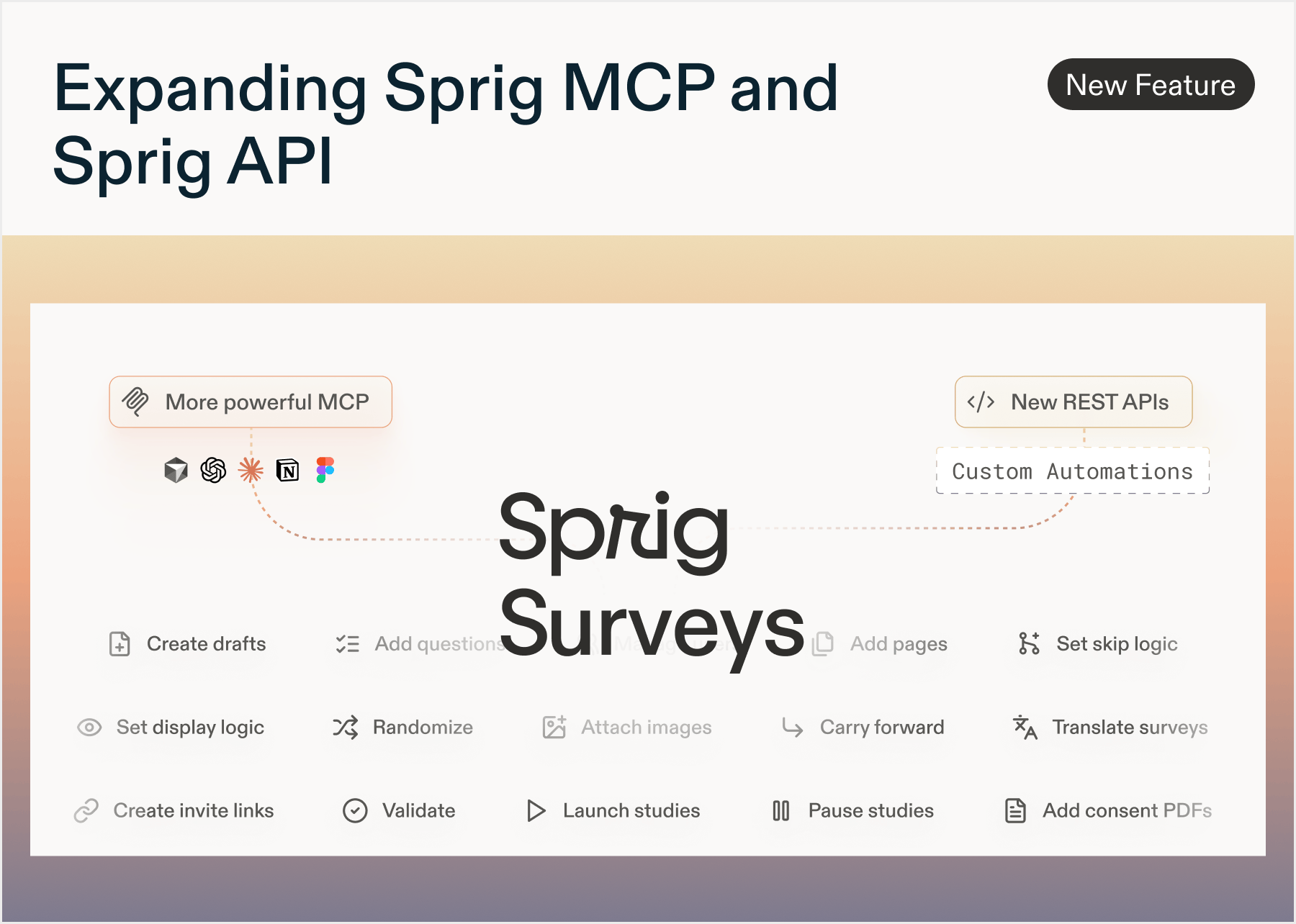
New: Sprig MCP
by Paresh VakhariyaSprig MCP is now available
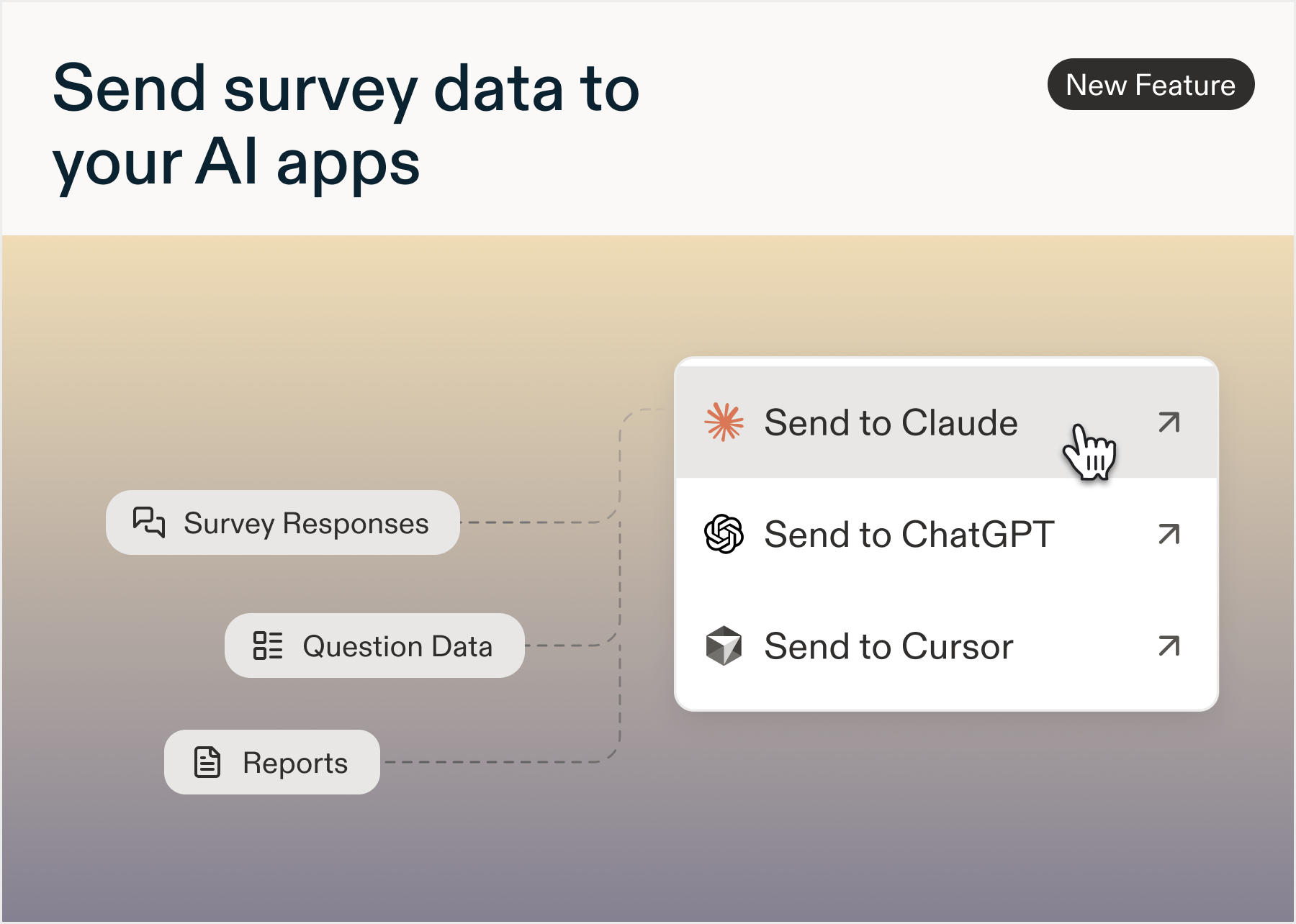
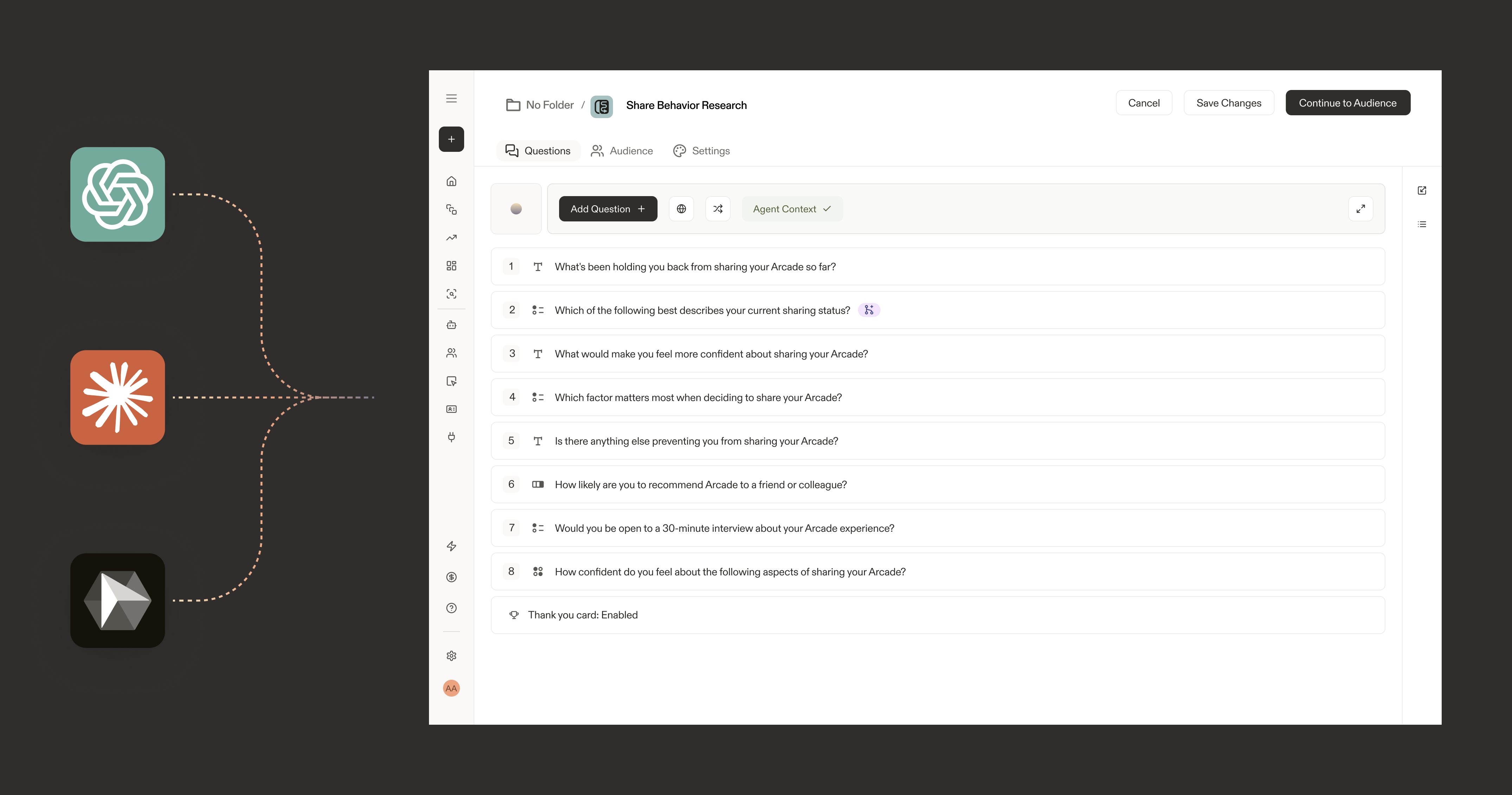
Connect your Sprig workspace to AI tools using the Model Context Protocol (MCP). Your studies, responses, segments, and Agent Context are now accessible as live context in Claude, Claude Code, ChatGPT, Cursor, Gemini CLI, GitHub Copilot, and more.What’s new
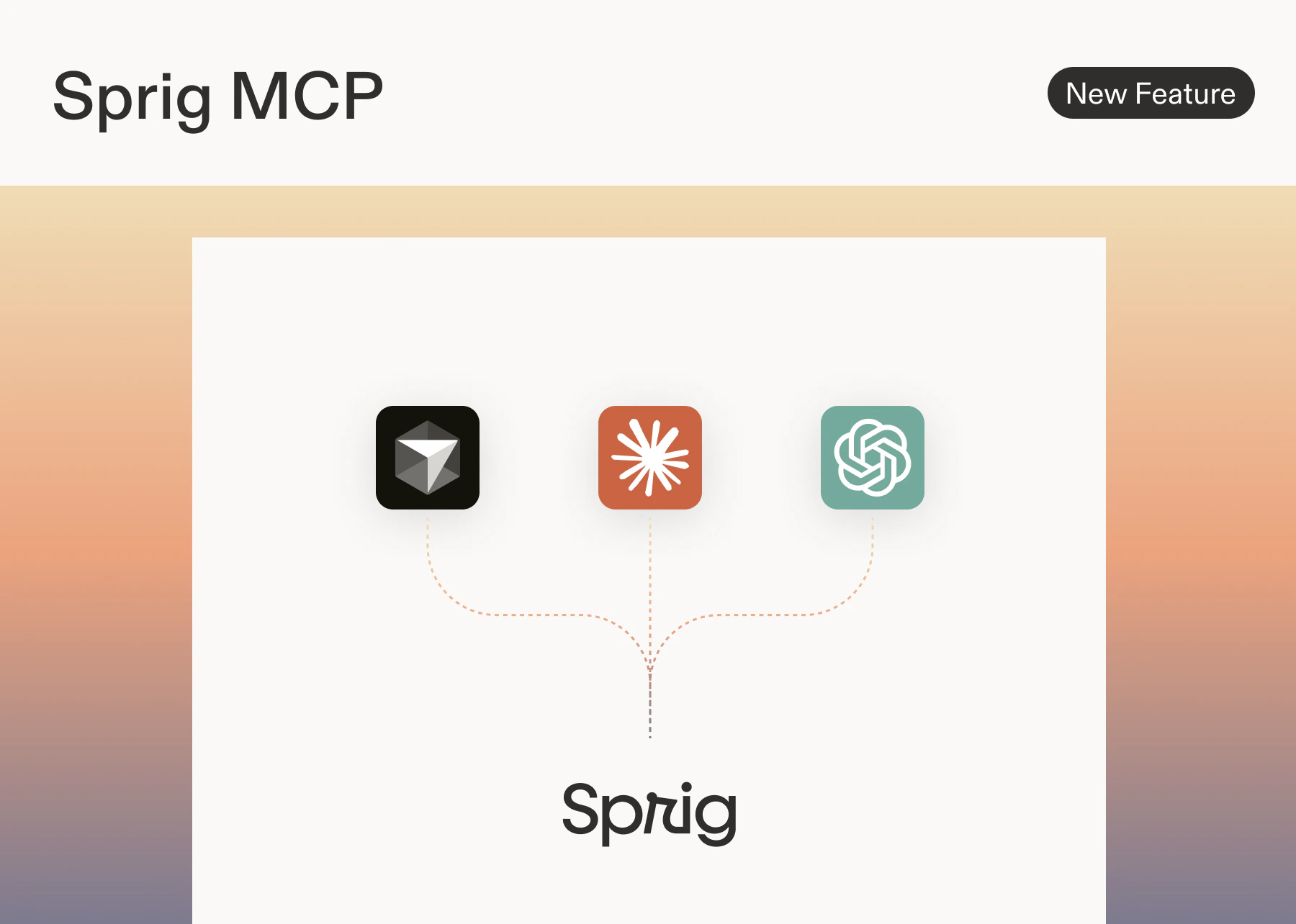
Sprig MCP server Exposes your Sprig workspace data as callable tools via a standard MCP endpoint athttps://mcp.sprig.com/mcpAny MCP-compatible AI client can connect and query your data directly.3 tools available at launch| Tool | What it does |
|---|---|
Retrieve Surveys | Returns all studies in your workspace |
Retrieve Responses | Fetches responses for a given study |
Retrieve Themes | retrieve themes, along with the responses that are associated with each theme |
Supported clients at launch
Anthropic: Claude, Claude Code, Claude CoworkOpenAI: ChatGPT, CodexGoogle: Gemini CLIMicrosoft: GitHub CopilotCode editors: CursorWhat you can do
Pull Sprig data directly into any connected AI client without exporting or copy/pasting:- Summarize study results and surface top themes
- Compare responses across studies or time periods
- Analyze how responses differ across user segments
- Generate research summaries, readouts, and hypotheses
- Look up any study by name or ID
How to connect
Go to Settings → Agents → Sprig MCP to get your MCP server URL and follow the setup steps for your AI client.New: AI Study Report
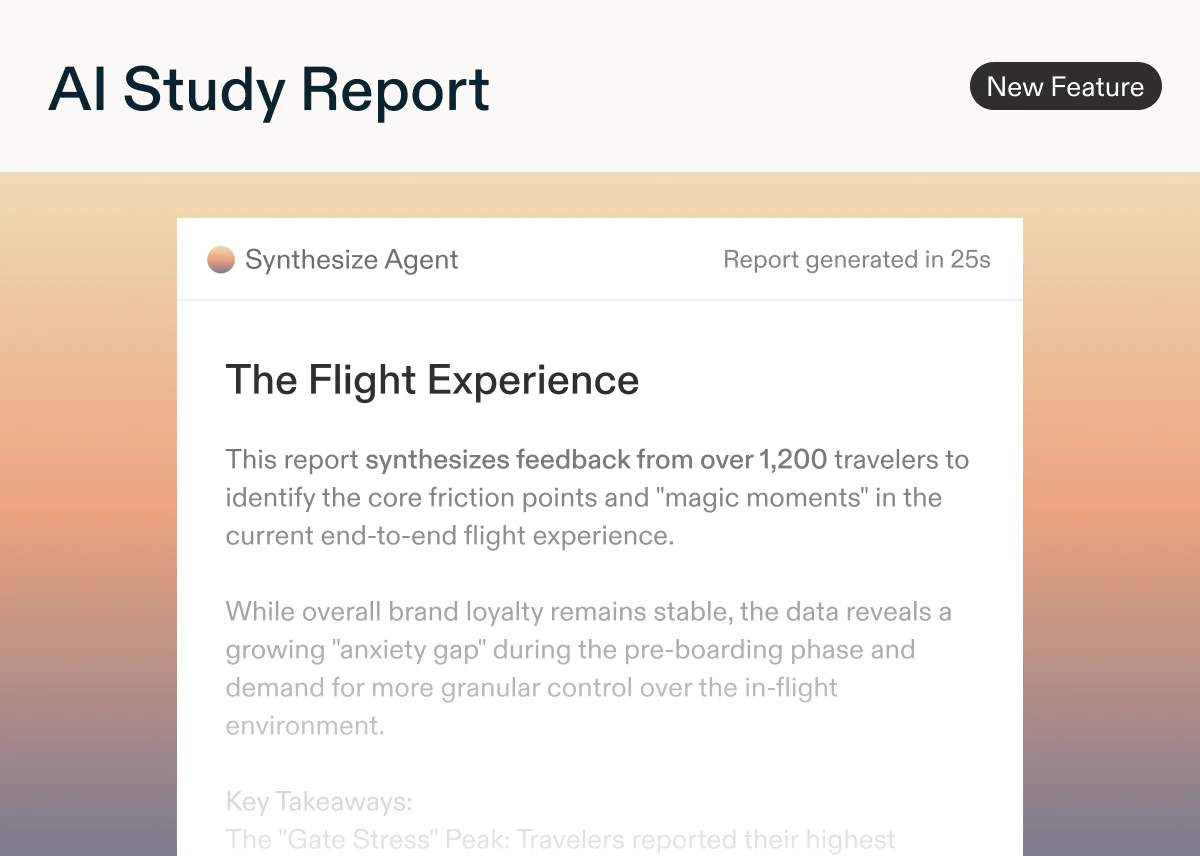
by Laura Desmond-BlackUse Sprig’s Synthesize Agent to quickly go from raw responses to a structured report that can easily be edited, downloaded, or shared with team members. Spend less time on manual analysis and more time ensuring insights are able to influence critical decisions.Influence the content of the AI Study Report by adding Agent Context to ensure the report accurately reflects your goals and the particular focus area for the study. Reports are generated based on the Agent Context, the study’s raw responses, and AI Insights generated for the study.Reports follow research best practices with an executive summary, and sections for key insights, strengths, and opportunities. Meaningful quotes from open text questions are included to add depth to findings.Editors can generate reports for in-progress studies that have 10 or more responses, or completed studies.AI Study Reports are available for customers on the Enterprise plan for Long-Form Surveys, In-Product Surveys, and Feedback studies. Learn more about generating a report for your next study!Note: this feature is being released in stages so you may not see it yet. We expect rollout to be complete by early May.
AI Dynamic Questions
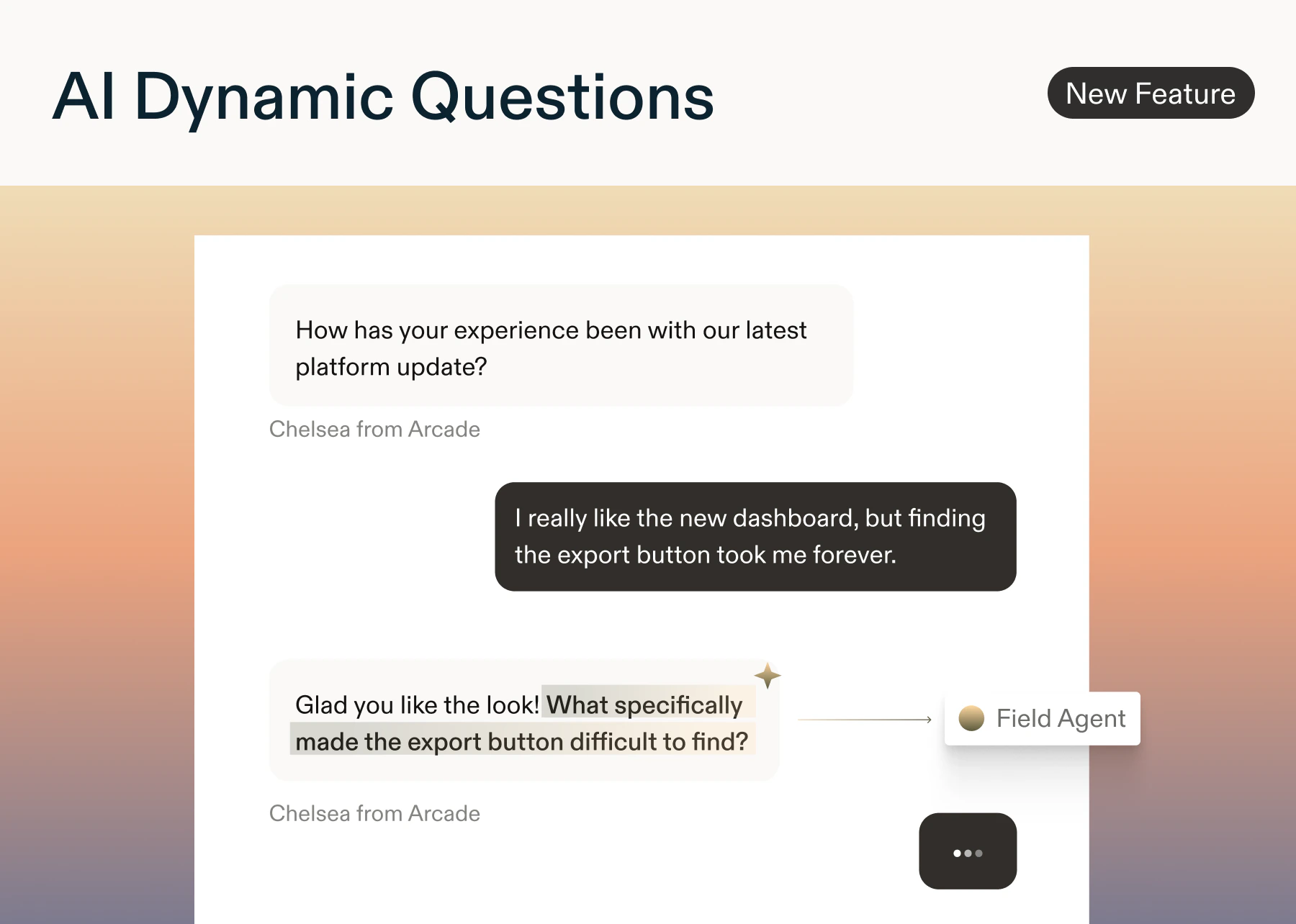
by Paresh VakhariyaAI Dynamic Questions Enterprise tier onlySurveys now adapt in real time. AI Dynamic Questions (utilizing the Field Agent) automatically generate relevant open text question based on what each respondents prior questions/responses- Add an AI Dynamic Question anywhere in your study. You can also add a custom (optional) prompt to each question.
- AI reads all prior questions and responses, then generates a short, neutral follow-up using NLP signals like sentiment, intent, and keywords. If it can’t generate safely or quickly, the question is skipped.
- Results appear in Reports alongside your standard responses.
- Question styles: Clarification · Depth · Context · Impact · Sentiment · Keyword
- Safeguards: Moderation filters block PII, bias, and unsafe content. Skip logic and quotas are always respected.
- Available on: In-product surveys, long form surveys, and feedback button: Enterprise plans only. No limit on the number of AI Dynamic Questions per study.
- Team context (if available)
- Agent context pka Study Goals (if provided)
- All prior questions and responses
- Question prompt (if entered)
- NLP signals: intent, sentiment, topics, and entities
Prototype Testing Enhancements
by Laura Desmond-BlackFor those of you who use Sprig to test new ideas and concepts, we have two enhancements to share:- You can now include published Figma Make and Lovable prototypes in Long-Form Surveys. Get feedback on these highly dynamic prototypes just like you can for more traditional prototypes by placing them within a broader survey that might include multiple ideas. Learn more.
- For those who share AI-generated prototypes directly with users, we’ve validated that you can install the Sprig SDK into the prototypes themselves so that Feedback studies or In-Product Surveys can be part of the experience. Results show in Sprig just like when you launch studies in your live apps. Now you no longer have to rely on manual, in-person, or ad-hoc processes to get feedback on these vibe-coded ideas. Learn more.
AI Follow-up Question
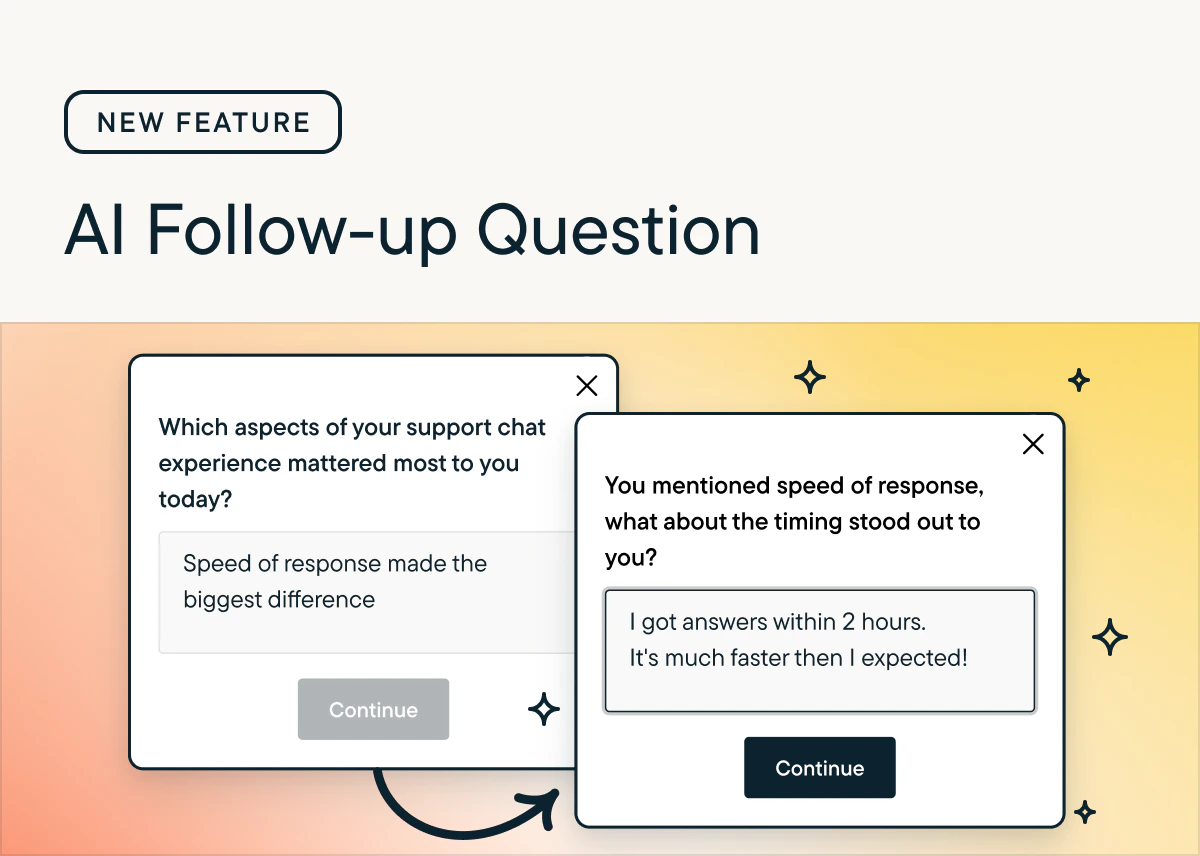
by Paresh VakhariyaAI Follow-Up automatically generates personalized, open-ended probes based on a respondent’s specific answer, capturing richer detail without manual programming.Key Features
- Supports Open Text questions; currently unavailable for Voice/Video. More question types to have AI Follow-up questions soon.
- Users must choose between AI Follow-Up or Skip Logic per question.
- Skips automatically if a relevant or safe question cannot be generated quickly.
Why use AI follow-up questions?
- AI follow-up questions help turn vague feedback into specific, actionable insights by probing for clarity, examples, and root causes.
- They mimic a live interviewer at scale, improving response quality without adding researcher workload.
How to Use
- Enable via the toggle in Study Setup for any Open Text question.
- Context used: Uses study goals, previous responses, and NLP signals (sentiment, intent) to tailor probes.
- Generates questions focused on clarification, impact, sentiment, or depth.
- Results: View both the AI-generated probe and the respondent’s answer in the Results tab.
Best Practice
-
Use 1–2 AI Follow-Up questions per survey to balance deeper insights with respondent experience.
New: Display Logic
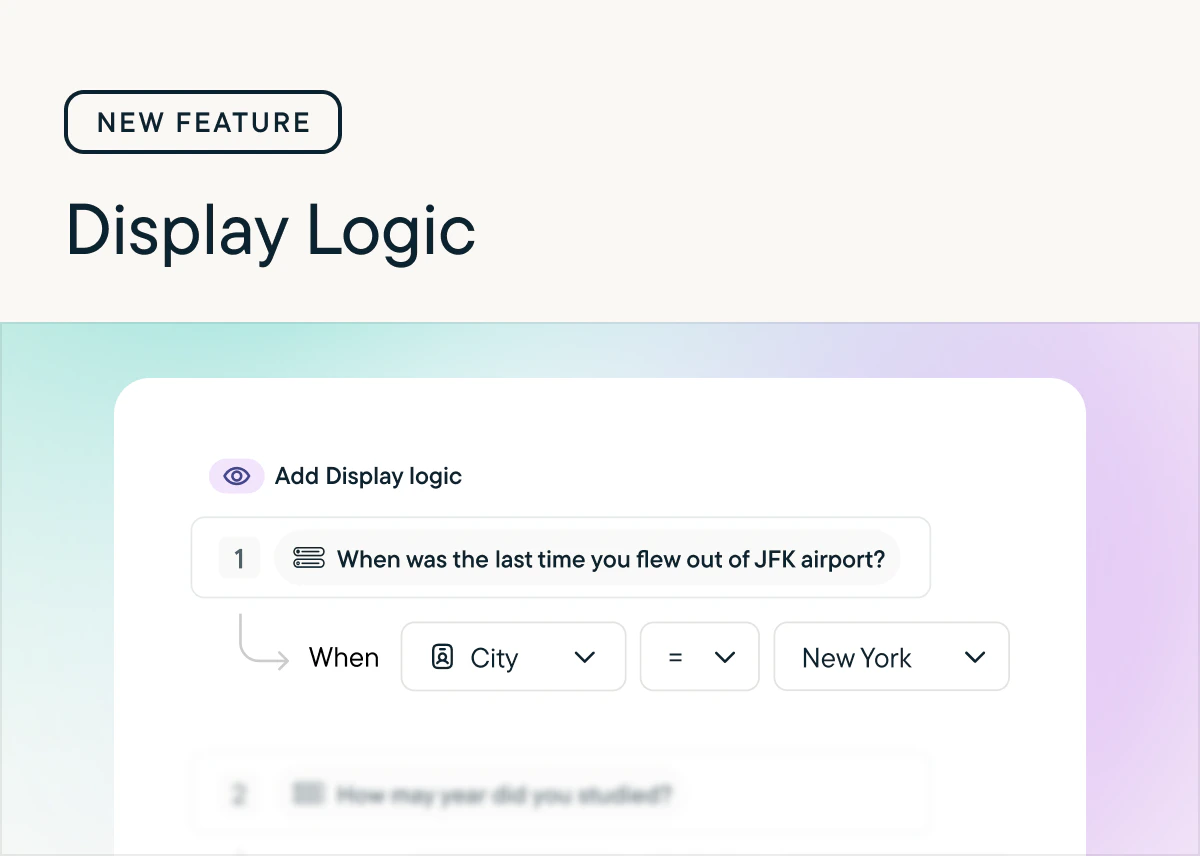
by Laura Desmond-BlackDisplay Logic is now available for Long-Form Surveys, In-Product Surveys, and Feedback studies for customers on the Enterprise plan 🎉Now you can easily configure questions to show when a respondent meets specific criteria based on their prior responses in the survey or user attributes you’ve stored in Sprig, like their plan or region. This allows you to ask customers a question with options that are relevant to them (Mets, Jets, or Nets for those in New York and Bears, Cubs, and Bulls for those in Chicago) which will lead to higher engagement and richer data.Check out the documentation to learn more about setting up Display Logic.
New: Attribute Piping
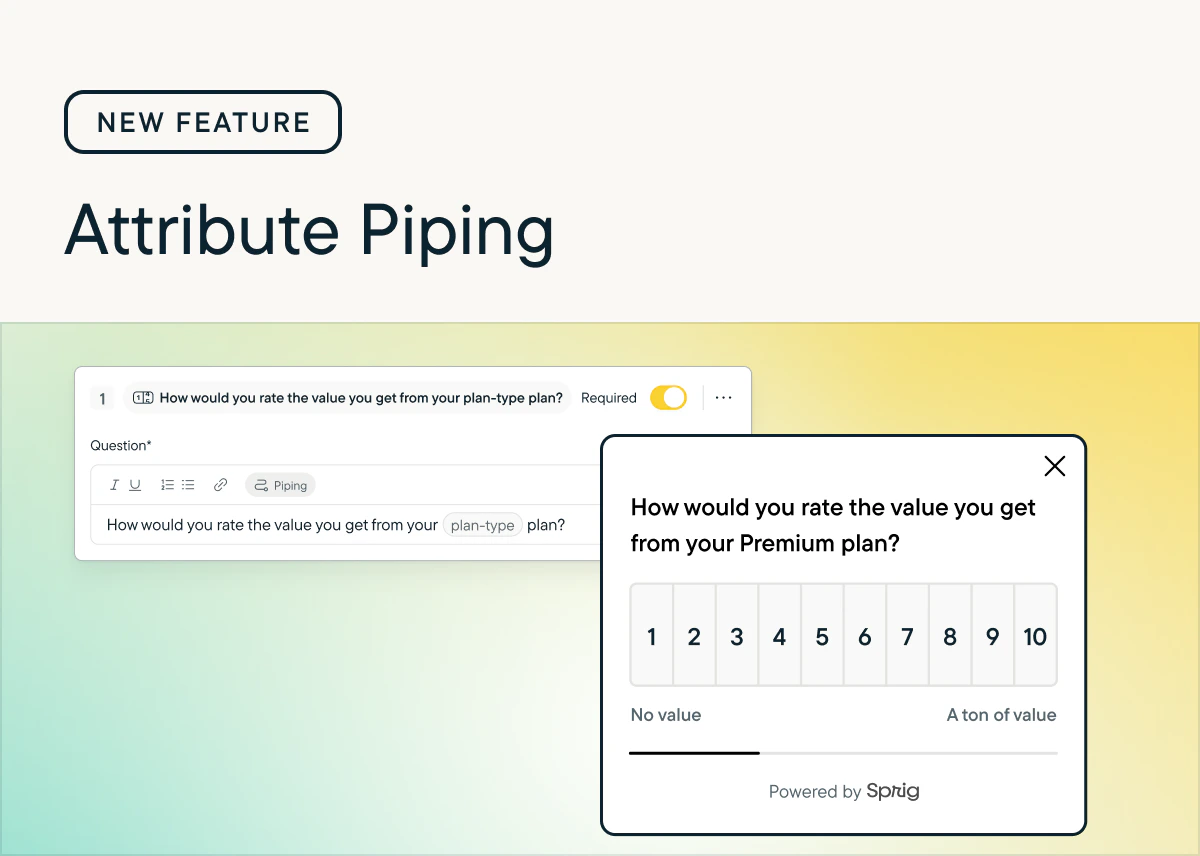
by Laura Desmond-BlackGeneric questions are out; tailored experiences are in. Starting today, you can use the attribute data you already store in Sprig to customize your survey questions and descriptions in real-time.Why this is great: more context for respondents means higher completion rates and higher quality responses. Instead of asking, “How much value do you feel like you’re getting from your paid plan?” ask, “How much value do you feel like you’re getting from your Enterprise plan, Sarah?”How it works: Just like Response Piping, reference any attribute stored in Sprig directly within the question or description text.Availability: Attribute Piping is available for customers on the Enterprise plan across In-Product Surveys, Long-Form Surveys, and Feedback studies.👉 See how to set it up
Display Limits for Choice Randomization
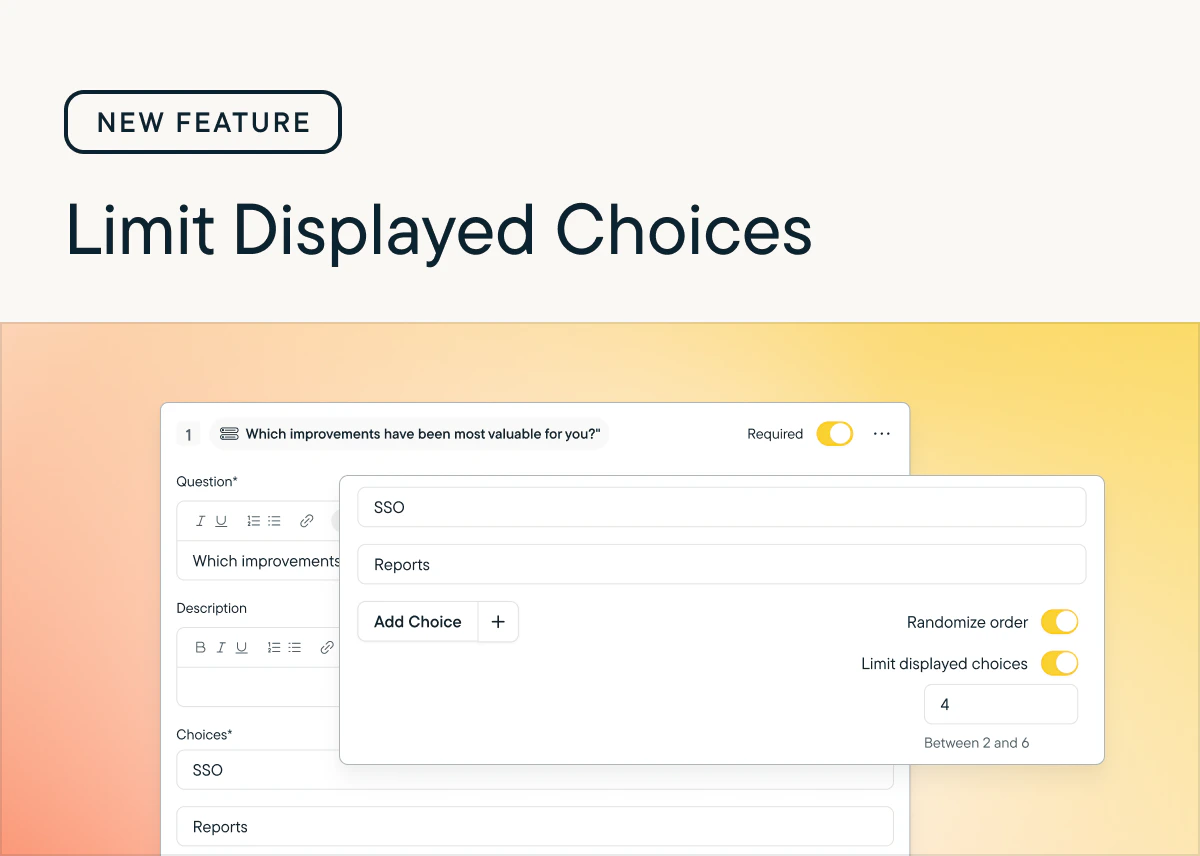
by Laura Desmond-BlackWith this release customers on the Enterprise plan gain an additional configuration option when randomizing the choices offered to respondents in Multiple Choice: Multi-Select and Matrix questions.Now when setting choices to display in a randomized order in these questions there will be an option to limit the number of choices displayed. For example, if you have a list of 20 themes that you’d like respondents to select from but you don’t want them to become overwhelmed with the full list, you can choose to limit the number of choices displayed to only 6 or 8.See our Help Center documentation to learn more.
Date filters for CSV Exports
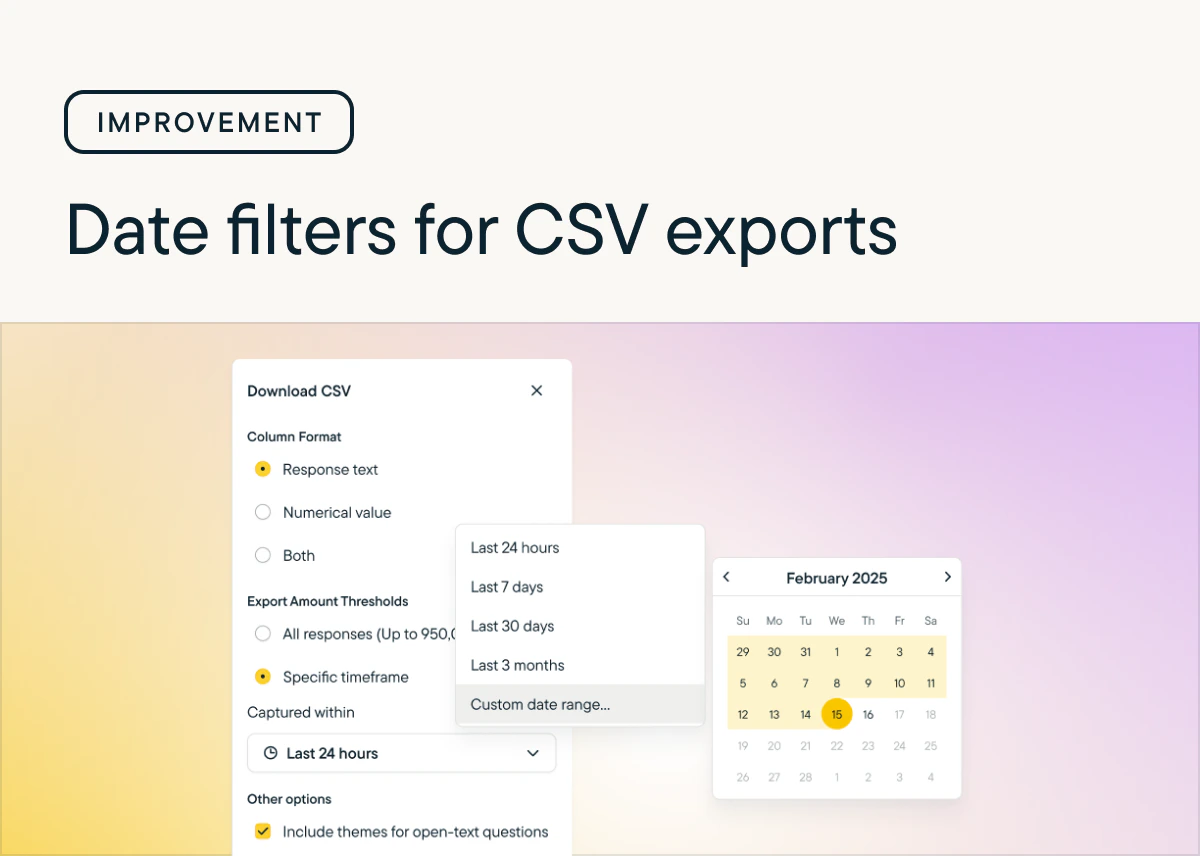
by Laura Desmond-BlackDo you ever wish you could export survey response data for a specific timeframe?Well, now you can! You can now choose a timeframe when requesting a CSV export so you can jump into analysis faster. Choose between preset or custom timeframes. If your survey has more responses than are supported for CSV exports (950,000) you can reduce the number of responses using the new filters and continue with your work. Learn more.
New Question Type: MaxDiff
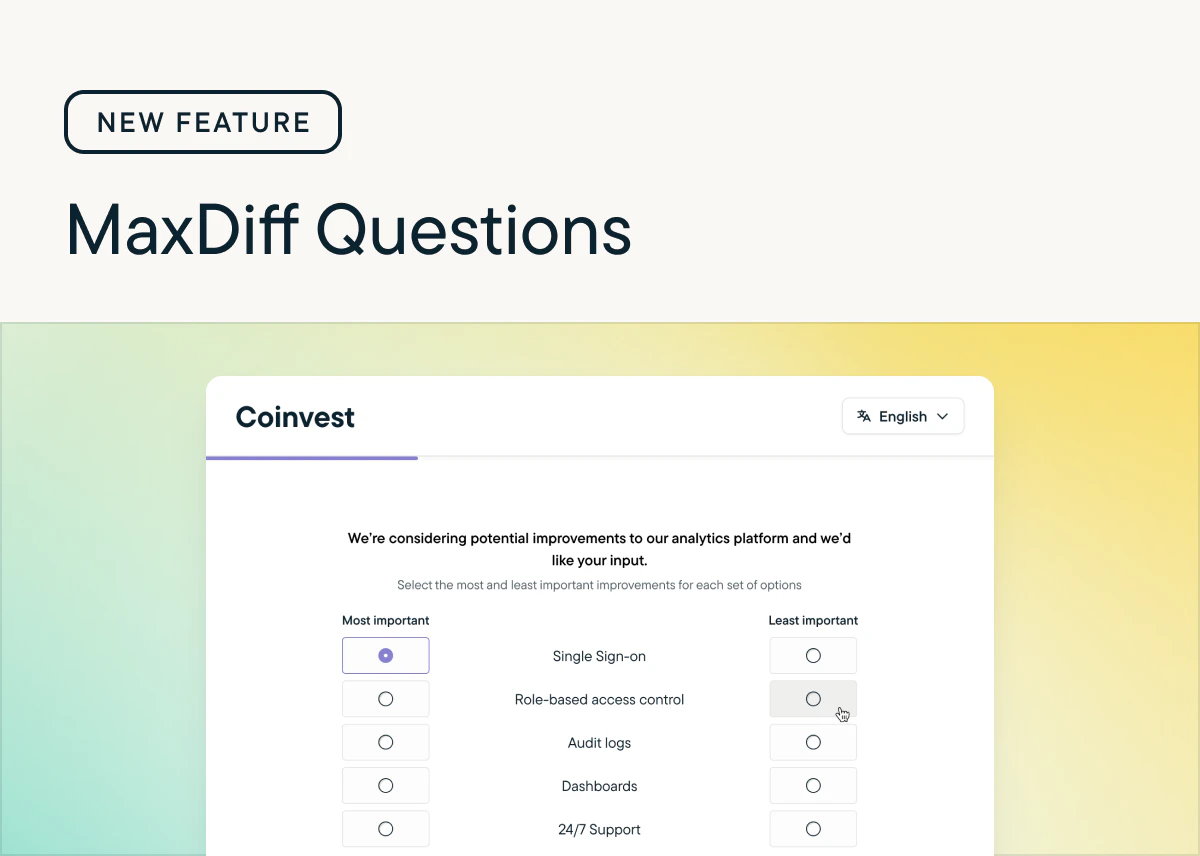
by Laura Desmond-BlackMaxDiff questions are here! 🎉 🥳Gather detailed insights from respondents as you consider how to prioritize improvements or refine brand messaging with intuitive researcher and respondent experiences. Use the recommended setting to configure the question quickly or define your own experiment structure with the custom setting. Get a sense for how respondents feel about what you’re asking them to rate using the built-in best-worst summary or download the CSV to run your own analysis. Check out the documentation to learn more.
Conversational Surveys
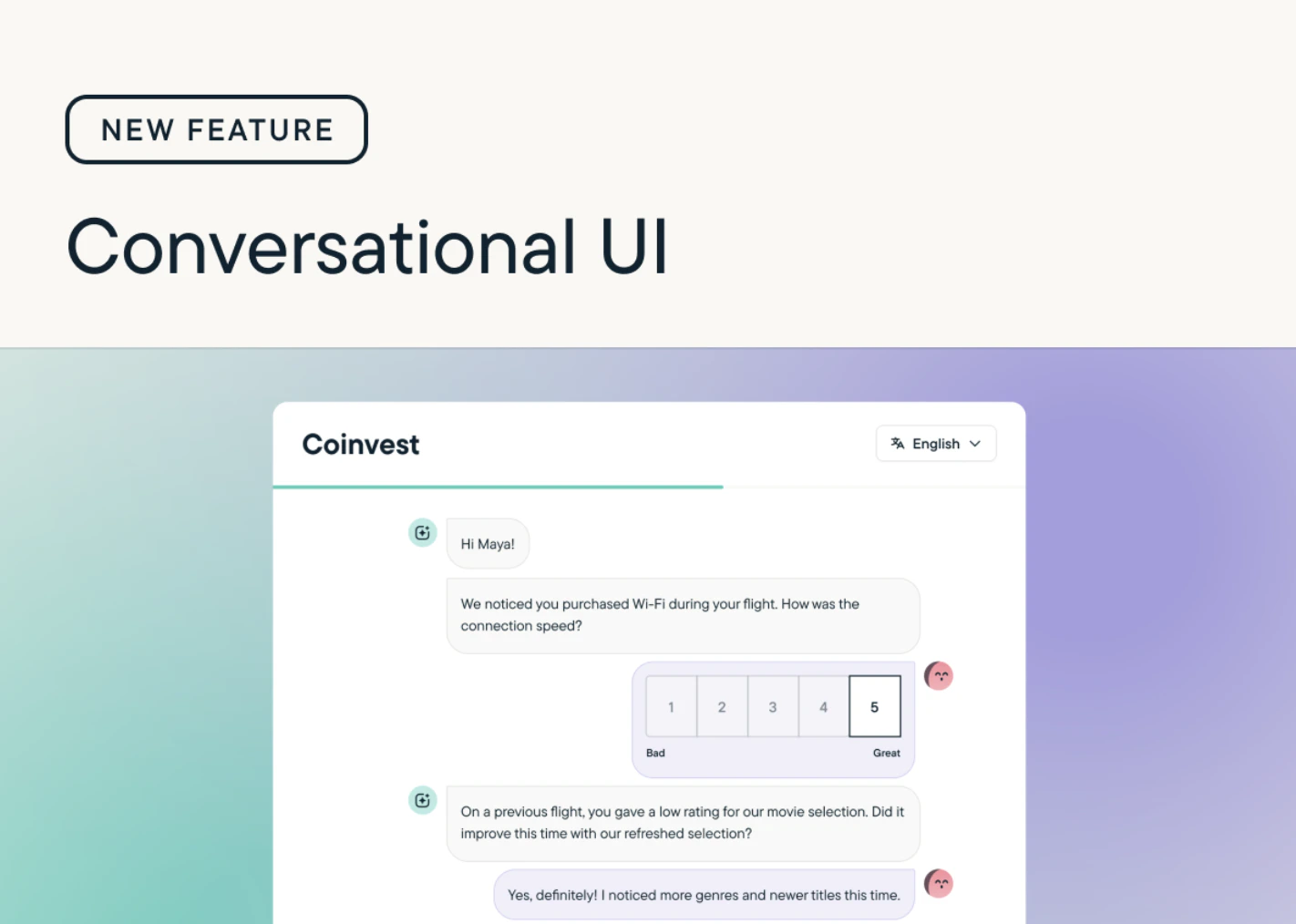
by Paresh VakhariyaWe have introduced Conversational Surveys: a new, chat-style survey experience that makes responding feel more natural and engaging.Instead of displaying multiple questions on a single page, Conversational Surveys present questions one at a time, creating a smooth, dialogue-like flow. Respondents interact as if they’re in a friendly conversation, leading to a more human, immersive, and enjoyable experience.Check out Conversational surveys to learn more about using this new functionality in your surveys!
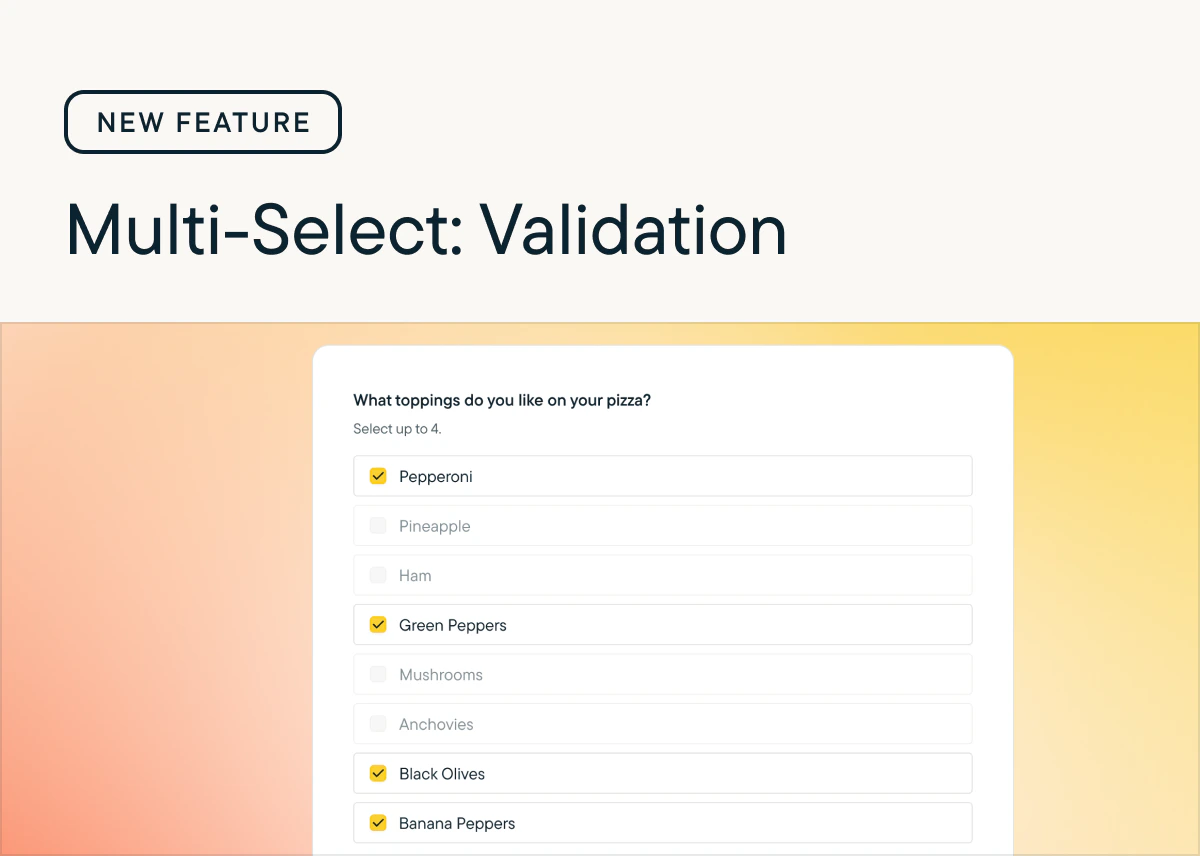
Validation for Multiple Choice Multi-Select questions
by Laura Desmond-BlackWe’ve added new validation options for Multiple Choice Multi-Select questions so that you can capture exactly the data you need from respondents. There are now three settings for validating responses to these questions:- Unlimited - Respondents can select as many choices from the list as they’d like.
- Maximum - Set an upper limit for how many choices respondents can select.
- Range - Set both lower and upper limits for how many choices respondents can select.
Long-Form Surveys are out of beta
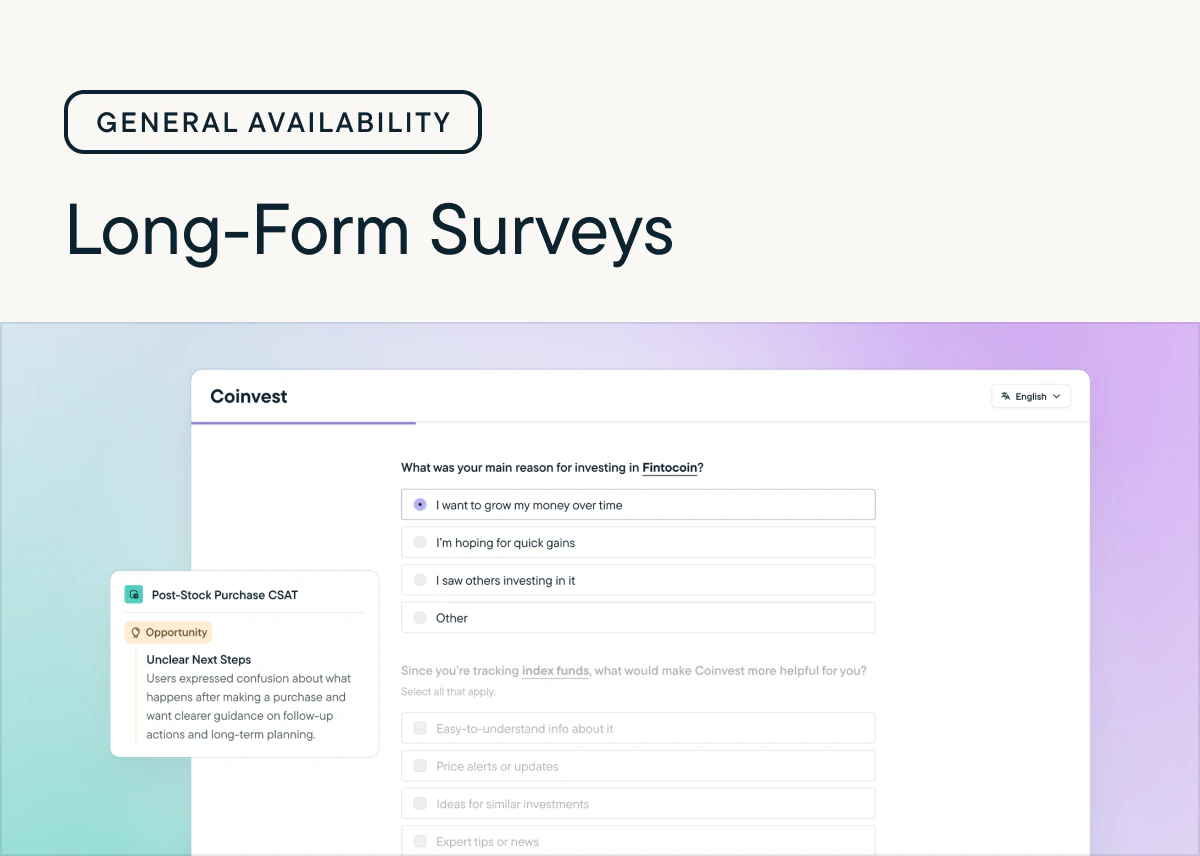
by Laura Desmond-BlackWe’re pleased to announce that Long-Form Surveys have reached general availability!Over the course of the 3 month beta we added tons of new functionality including page-level Randomization, Rank Order questions, multiple questions per page, and Response Piping. We loved seeing how quickly you incorporated these new capabilities into your surveys and and appreciate all of the feedback you shared as you tested and launched surveys.While the beta is over, we’re just getting started—we have many releases planned for the next few months including:- Conversational Respondent UI: A modern, chat-style survey experience that feels more human and drives better response rates. Choose when to deliver surveys in this format or the standard format with a per-study setting.
- MaxDiff questions: Quickly get detailed information about your users’ preferences with an easily configurable question.
- AI Study Builder: Upload your research plan and generate a complete survey in moments.
New: Response Piping
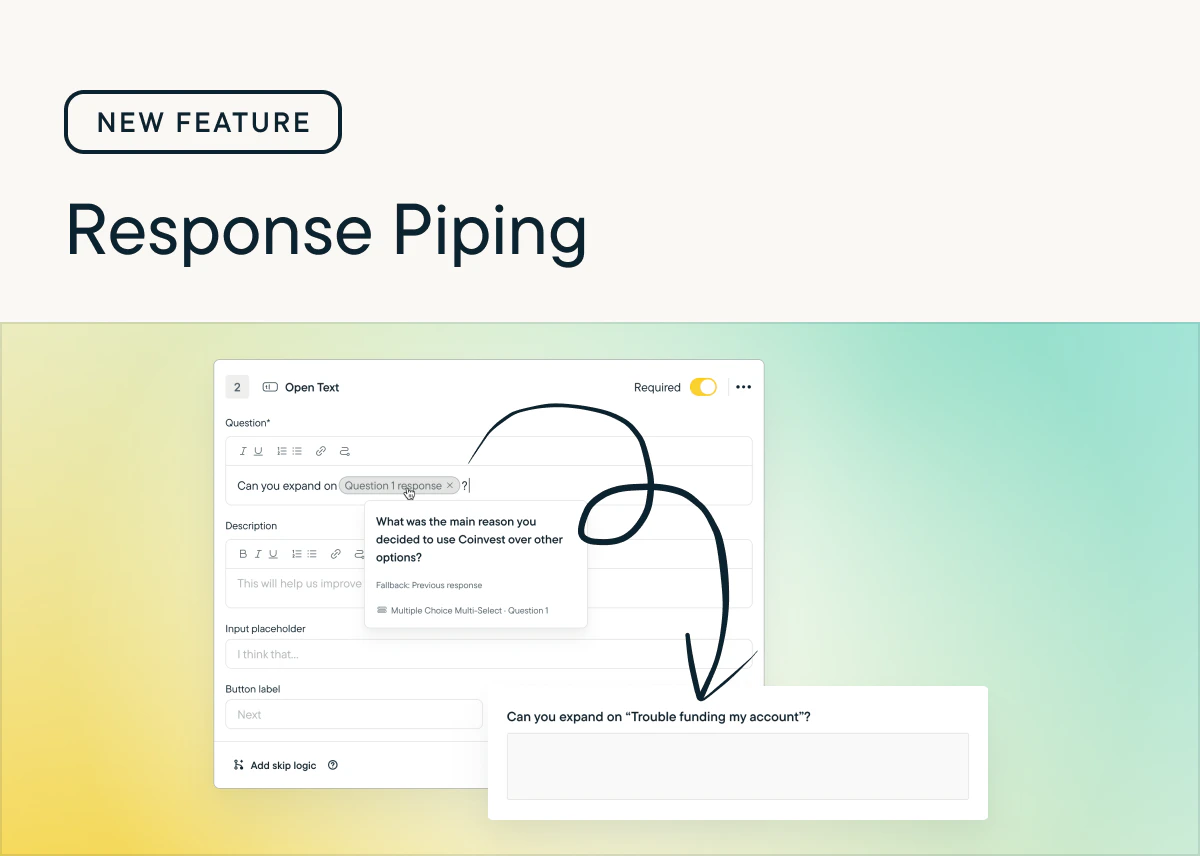
by Laura Desmond-BlackResponse Piping is now available for In-Product Surveys, Long-Form Surveys, and Feedback studies.Now you can provide a highly-personalized experience for respondents and ensure they get the most relevant survey-taking experience possible, which will result in increased response rates and better response data for you.Check out the documentation to learn more and include it in your next survey!
Introducing: Rank Order Questions
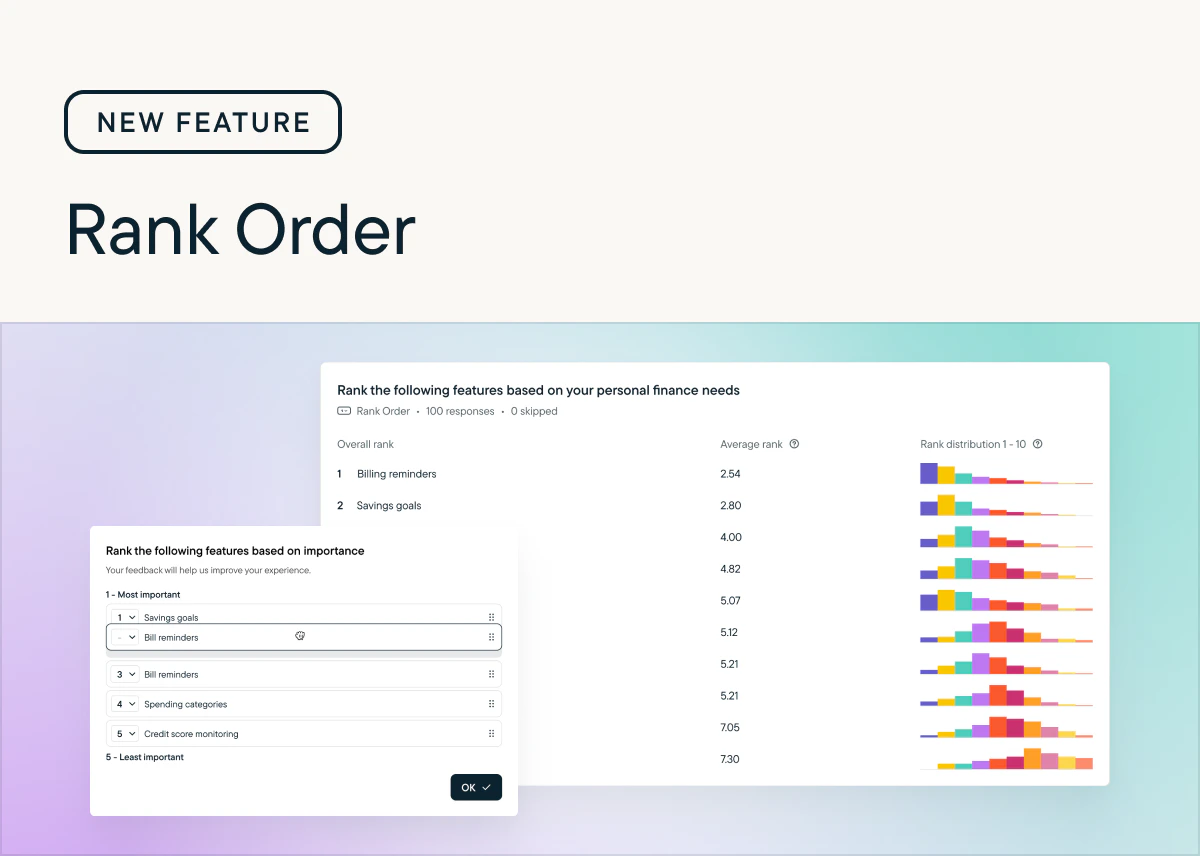
by Laura Desmond-BlackNow available for In-Product and Long-Form Surveys: Rank Order Questions 🎉With this new question type, you can see exactly how your users rank multiple options. That clarity helps you make confident, data-driven decisions. No more guessing which features, messages, or experiences matter most.Rank Order questions are available today in Long-Form Surveys. To use them with In-Product surveys you’ll need the latest version of the web SDK which was released yesterday. Native mobile SDKs will be available by the end of the week, and React Native and Segment.io SDKs will be available next week. Check the Changelog for updates. Also available are new CSS classes and styles so Rank Order questions can match your brand.Learn more about setting up Rank Order Questions in Help Center.
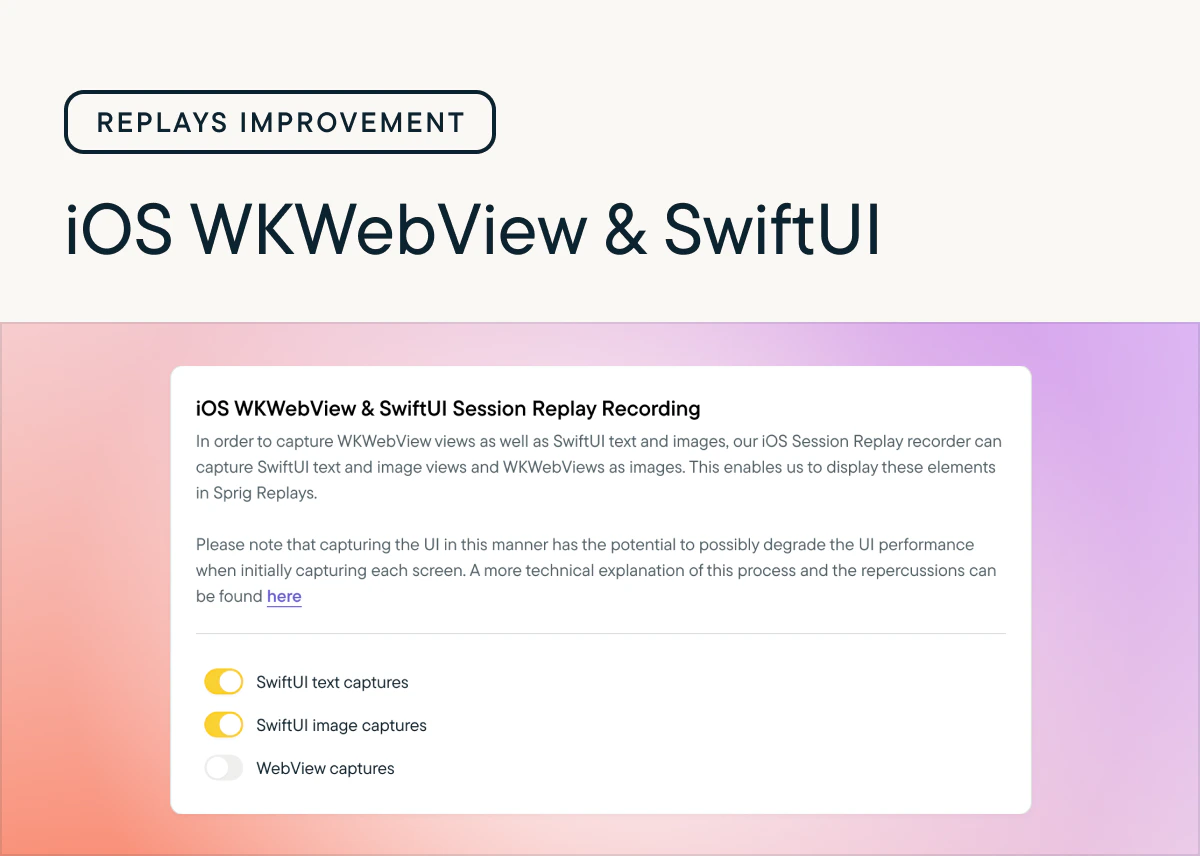
Sprig Mobile Replays: Capture WKWebView views and SwiftUI text and images
by Laura Desmond-BlackStarting with iOS SDK version 4.24.7, you can opt-in to capturing WKWebView views as well as SwiftUI text and images so that more content from your app is visible in Replays. These options can be found in Settings > Replays > Configure > iOS.These new settings give you the ability to capture more content from iOS apps while also respecting any selections you’ve made from the Basic, Moderate, and Strict privacy options.
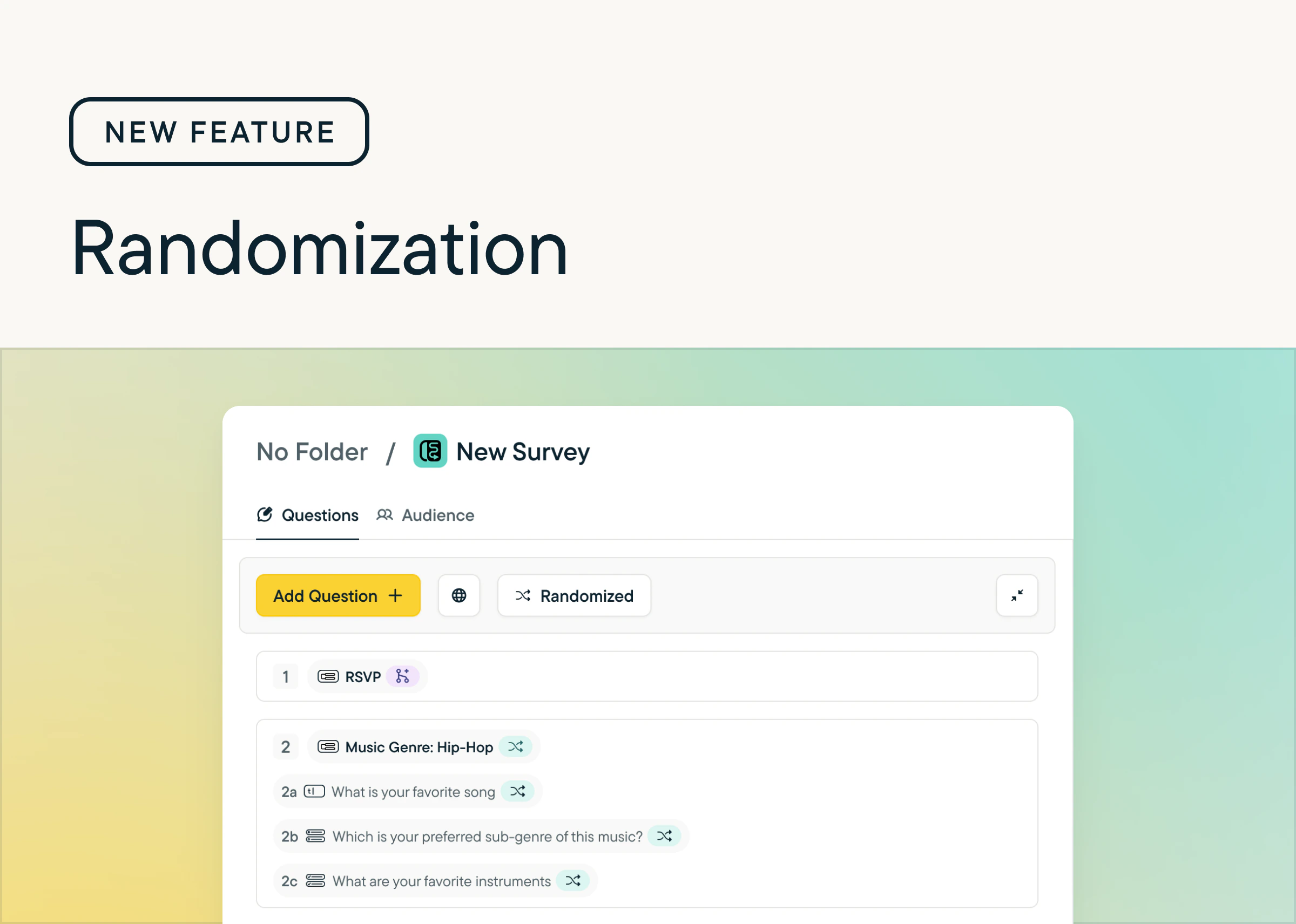
Randomization for pages and questions
by Laura Desmond-BlackWe’ve added the ability to randomize pages and questions within Long-Form Surveys. Now you can:- Randomize all the pages and questions in a survey with one click (and undo it with one click too)
- Pin specific questions so they stay in place
- Easily see which questions are randomized or pinned with new indicators that show next to question and page titles
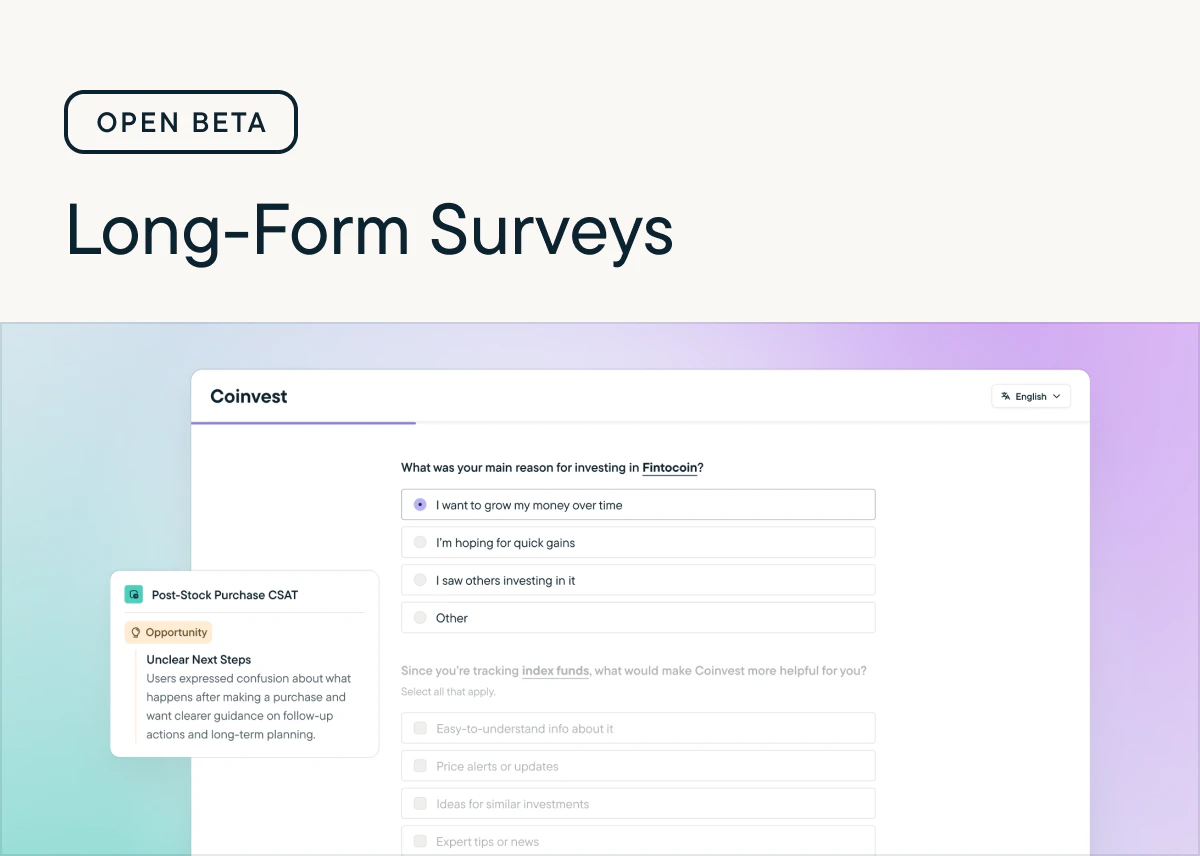
Long-Form Surveys: Beta now open
by Laura Desmond-BlackThe beta for Long-From Surveys is now open to all customers on paid plans. From now until October 15, 2025 you can use Long-From Surveys, up to 2,500 responses/month, for free. Share longer surveys, with multiple questions per page with your user base wherever you can embed a link. Send personalized surveys in multiple languages, with logic that ensures respondents answer the right questions. Get insights quickly from Sprig AI, the same way you can for In-Product Surveys. Check out the documentation to learn more.
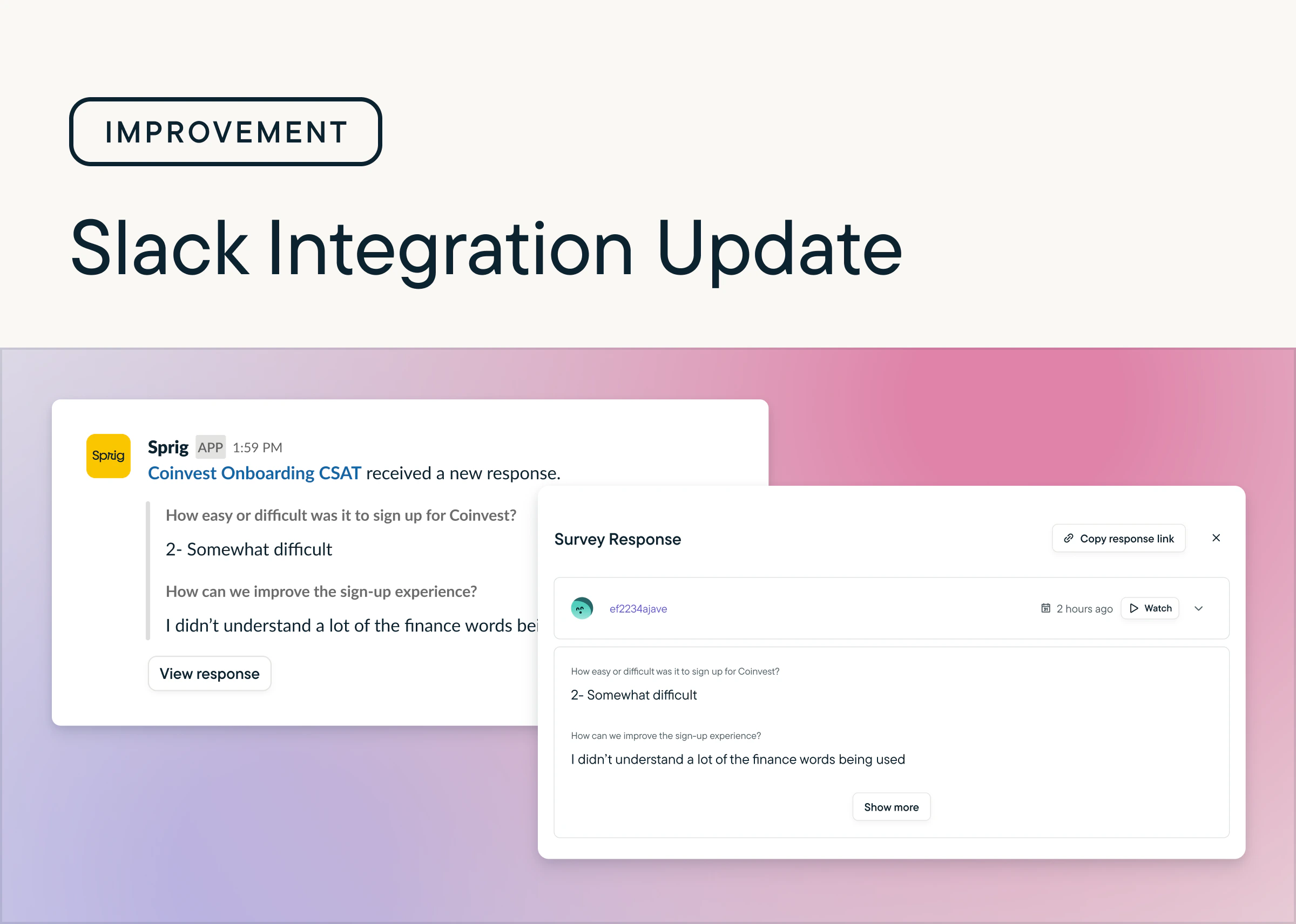
Easily Collaborate With Direct Response Sharing in Slack
by Maha ChaudhryIt’s now easier to share Sprig insights with your team. Slack notifications for new responses include direct links to specific feedback so you can quickly dive in. In the Sprig app, the Responses tab also features a new Share Response dropdown option, making it simple to send individual responses to your teammates. Set up your Slack integration, or try sharing a response today.
Get More Actionable Themes With Improved Replays AI
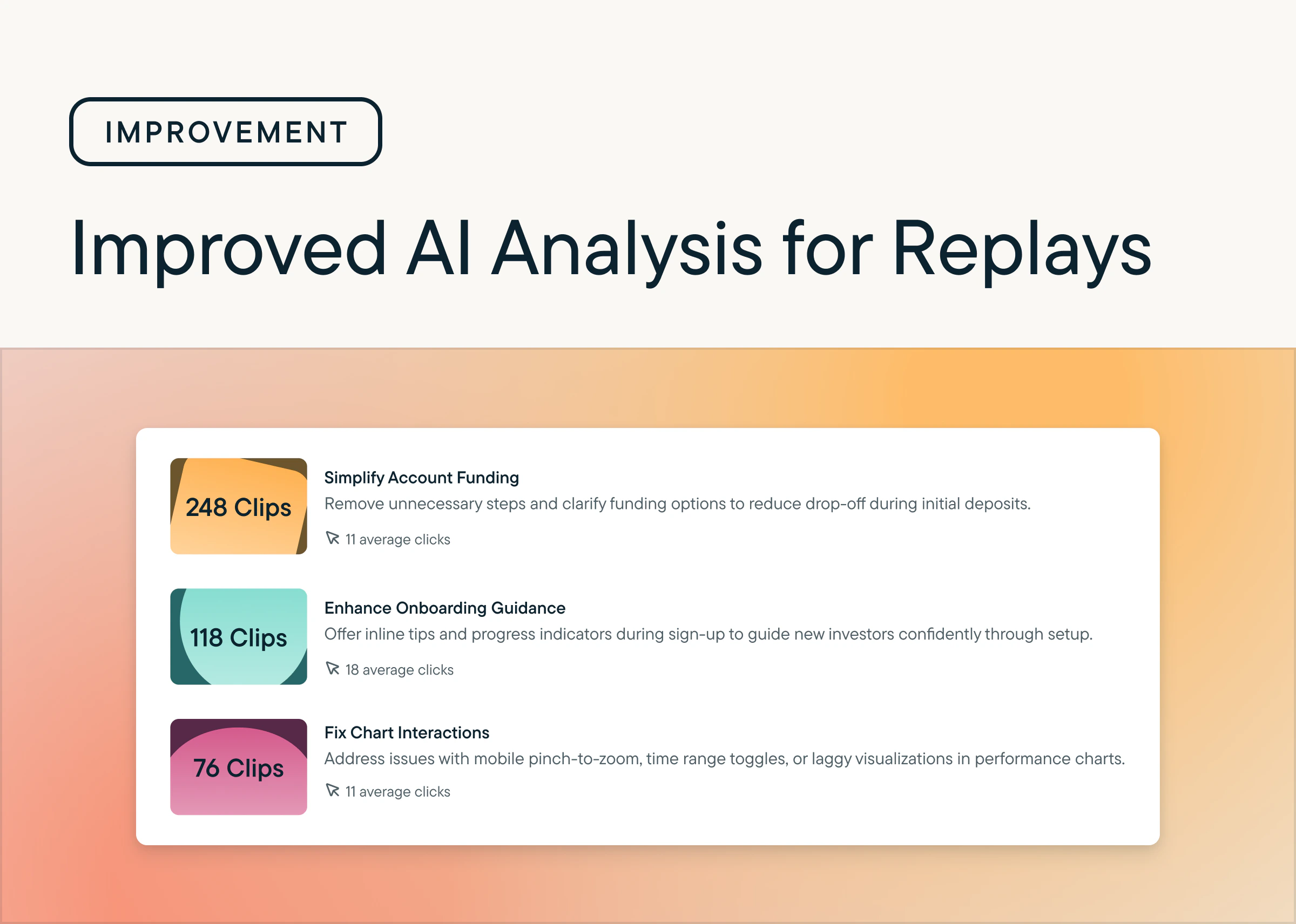
by Maha ChaudhryAI Analysis for Replays just got a powerful upgrade. Sprig AI now processes more clips more often and with greater accuracy. Your themes are now richer, more actionable, and always reflect the latest trends in your users’ behavior. Check out the improved AI themes in your Replays.
Detect Friction At Scale With Frustration Signals for Always-On Replays
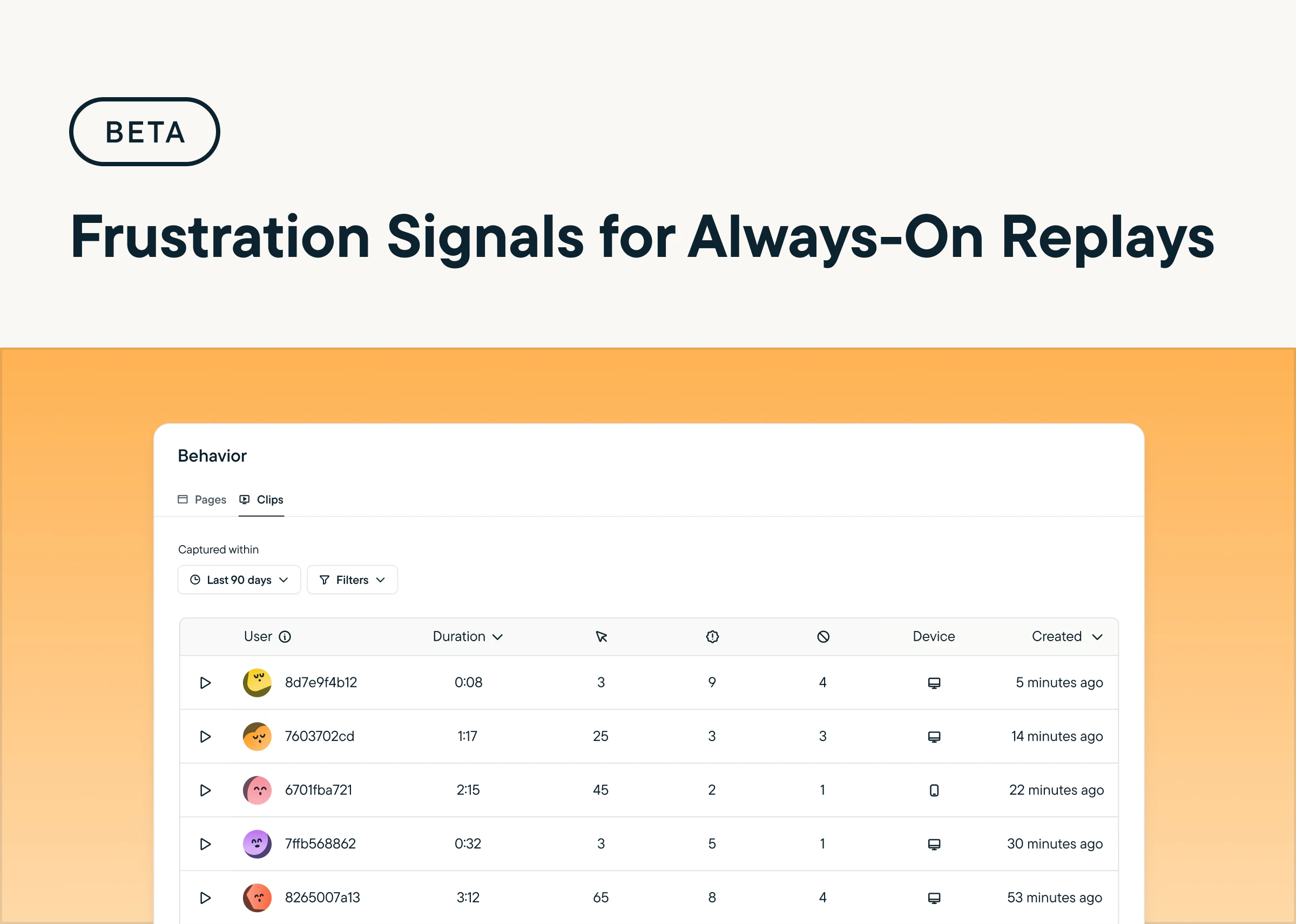
by Maha ChaudhryFrustration Signals are now in beta for Always-On Replays. Sprig automatically flags sessions with rage and dead clicks, making it easier to identify points of friction and take action to improve the user experience.
Surface the Highest-Signal Sessions With Daily Clip Limits
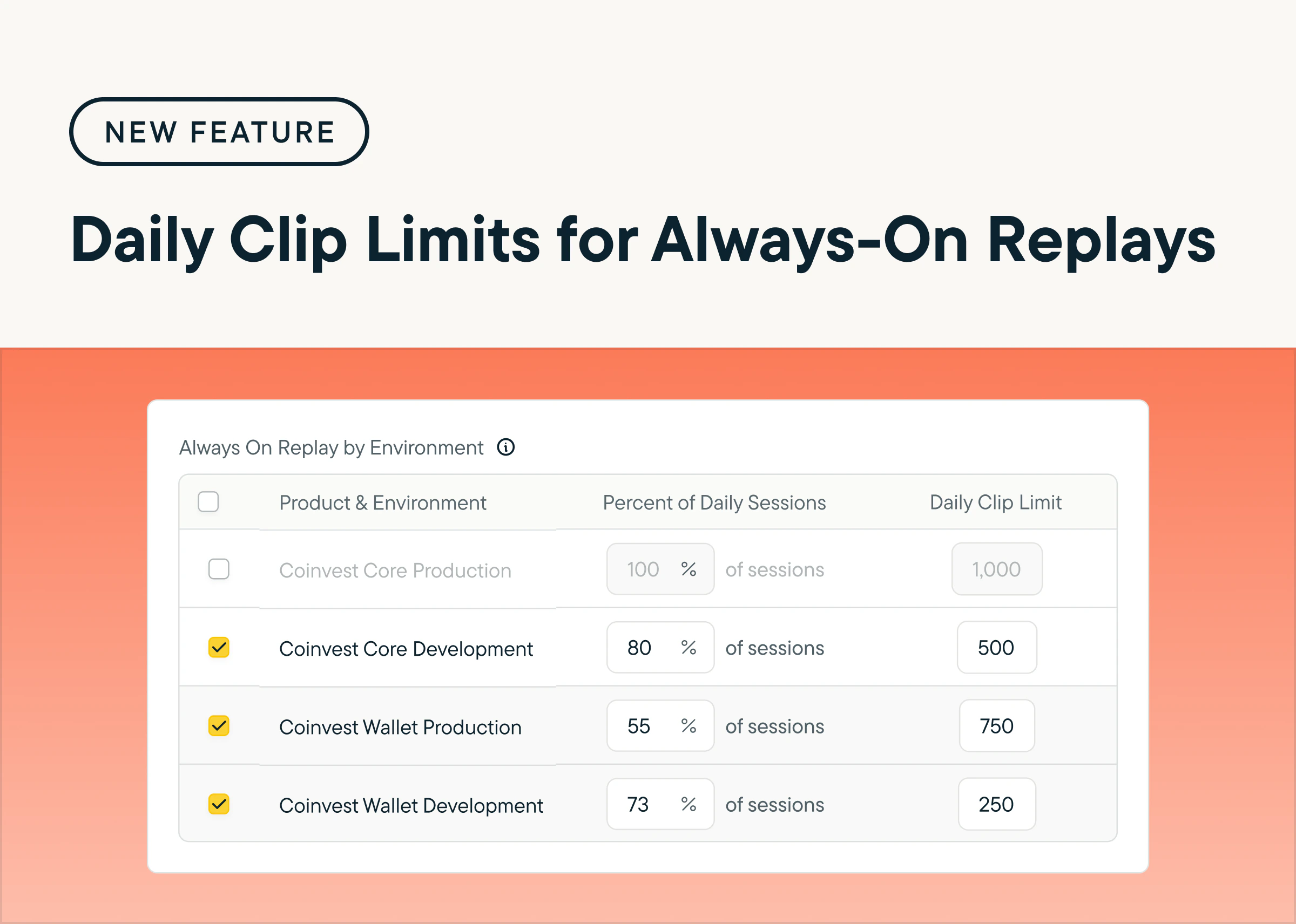
by Maha ChaudhryYou can now set a daily cap on Always-On Replay clips by product and environment, giving you more control over volume and helping your team stay focused on the sessions that matter most. By reducing noise, you can more easily prioritize high-signal behavior and uncover actionable insights faster. Head to the Configure tab within your Heatmaps & Replays settings to try it out.
Reveal Friction Automatically with AI-Powered Always-On Replays
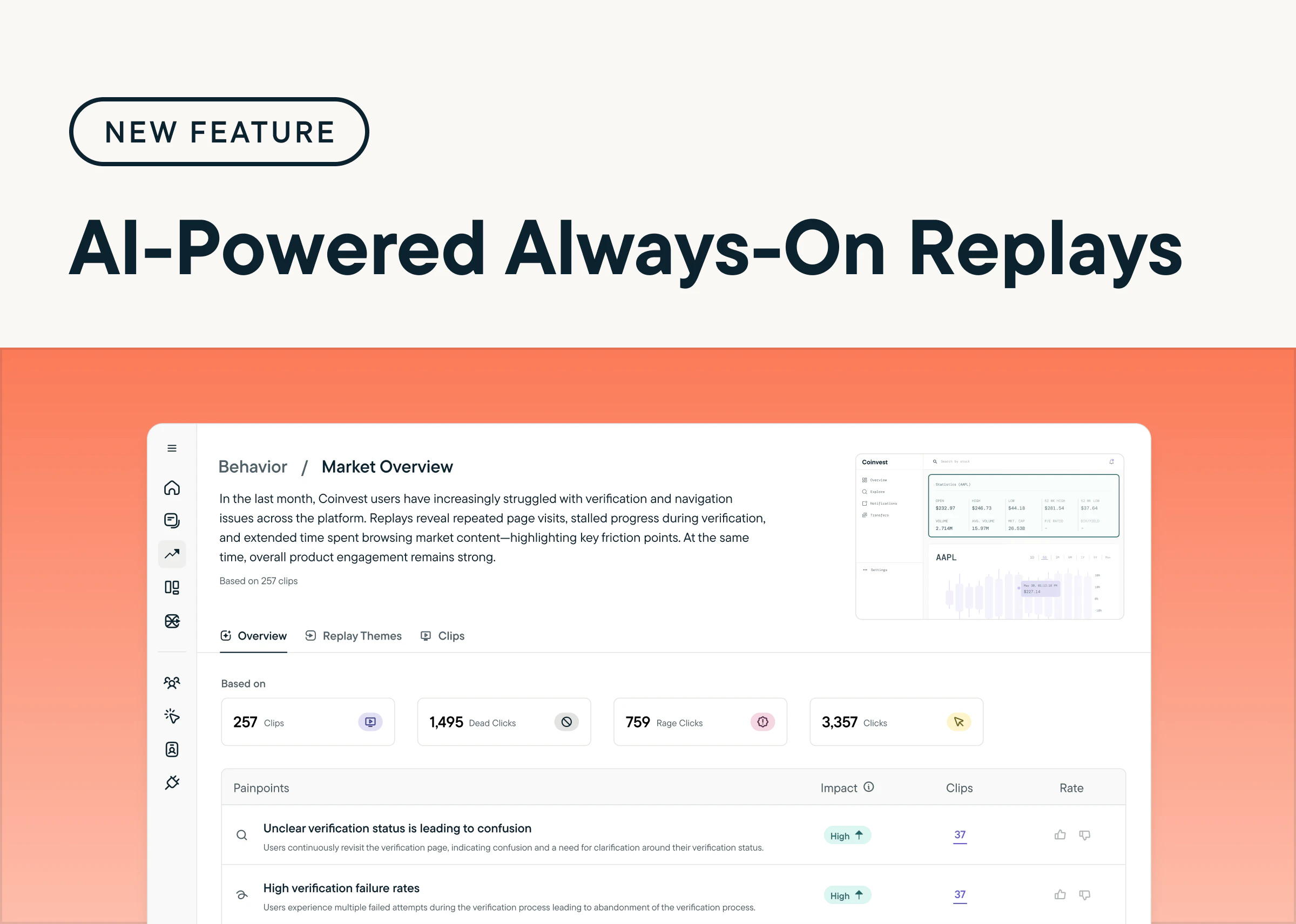
by Maha ChaudhryUnderstand how users move through your product and spot friction faster with AI-Powered Always-On Replays. Sprig AI automatically recreates sessions, organizes behaviors into clear flows, and highlights key pain points. Plus, built-in advanced privacy controls make it easy to mask sensitive fields and customize exclusions. Explore AI-Powered Always-On Replays by heading to the Behavior tab in your Sprig account. (Requires Sprig SDK update)
April 14, 2025
Earn $250 for Every Qualified Referral to Sprig
by Maha ChaudhrySprig’s Referral Program makes it easy to share Sprig with your network—and get rewarded for it.If you know someone who’d benefit from Sprig’s product experience platform, refer them to our team. Whenever your referral leads to a qualified meeting, we’ll send you a $250 gift card as a thank-you.Here’s how it works:- Submit a qualified referral
- Your referral must meet all of the following:
- Role: UXR or Product Design, manager level+
- Company: 150+ employees, U.S.-based
- Budget: Can purchase Sprig Enterprise
- Sales status: Not in an active deal with Sprig
- Receive your bonus
- Payout timing: After an annual contract is signed
- Bonus amount: $250 via digital gift card
- Referral limit: Unlimited—get rewarded for each qualified referral
- Payout method: Sent via Sendoso
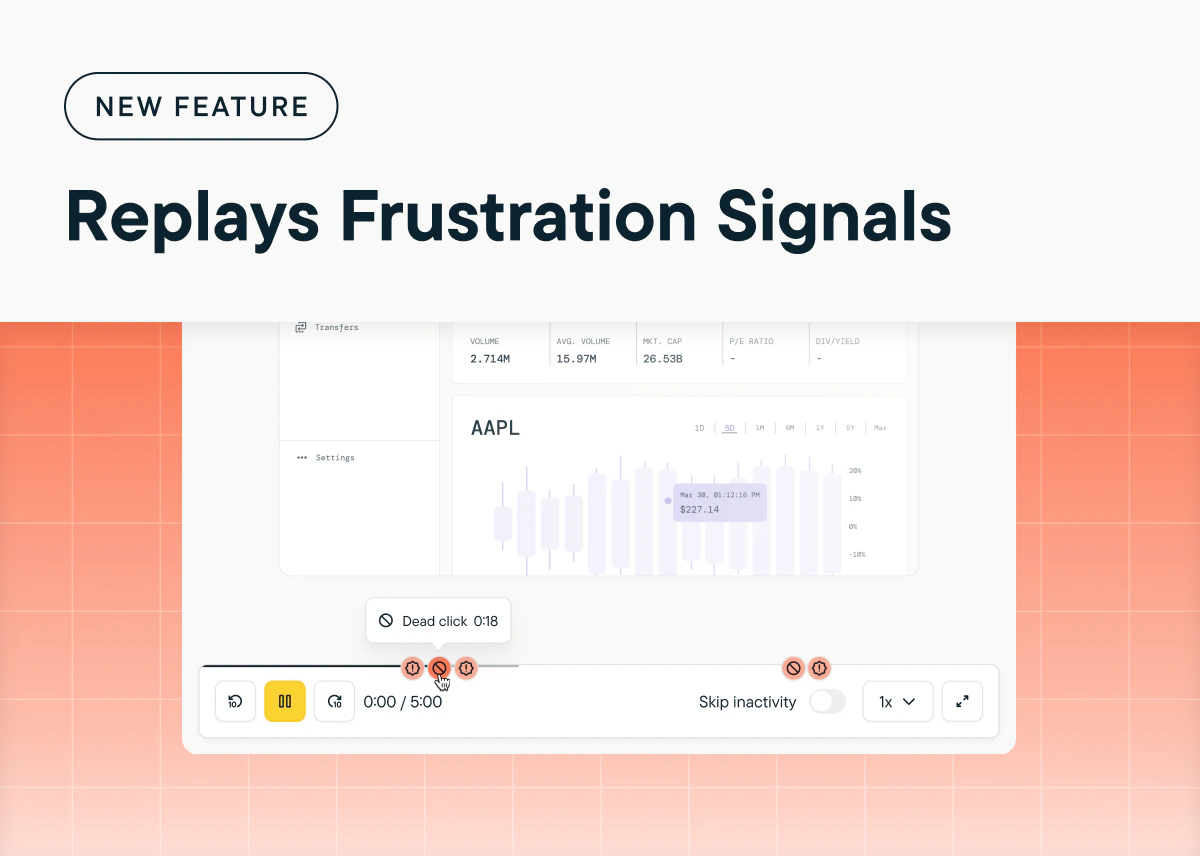
Uncover Friction Points with Frustration Signals in Sprig Replays
by Maha ChaudhryQuickly spot friction points in your product with frustration signals in Sprig Replays. Now, Sprig can detect and highlight dead clicks (clicks that have no effect on a page) and rage clicks (multiple rapid clicks in one area) within a user’s session. By surfacing these moments of user frustration, you can take immediate action to streamline workflows, reduce user pain points, and improve conversion rates. Go to any Replay study and play back the session clips to see any frustration signals in your user’s experience.
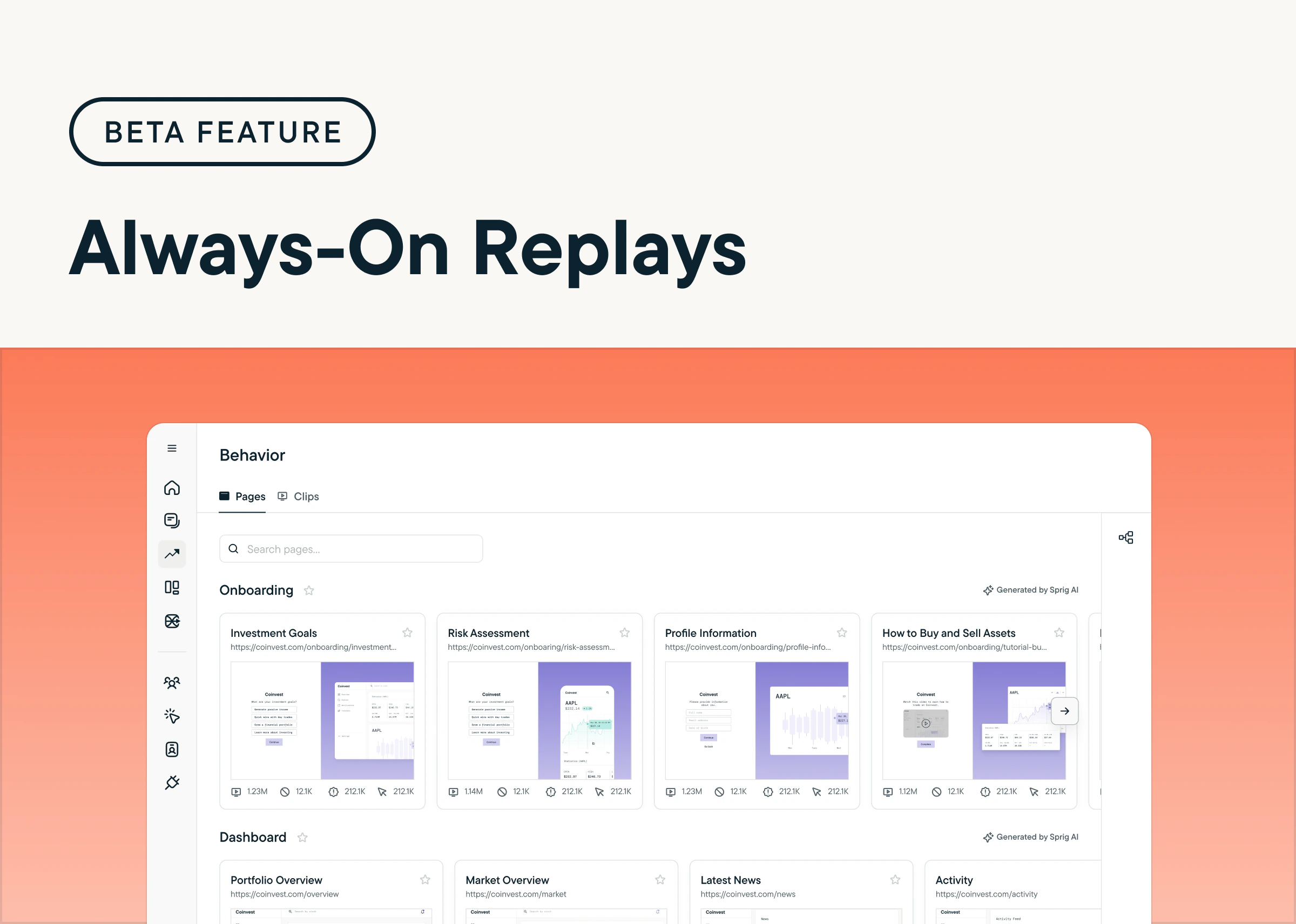
Unlock Continuous User Insights with Always-On Replays
by Maha ChaudhryGet continuous, real-time insights into user behavior across your product with Always-On Replays. This feature (currently in beta) automatically reproduces user sessions across your product without any manual setup, enabling you to surface behavioral patterns and usability pain points passively. If you want to try Always-On Replays firsthand, request access to our beta program today! (Sprig SDK update required)
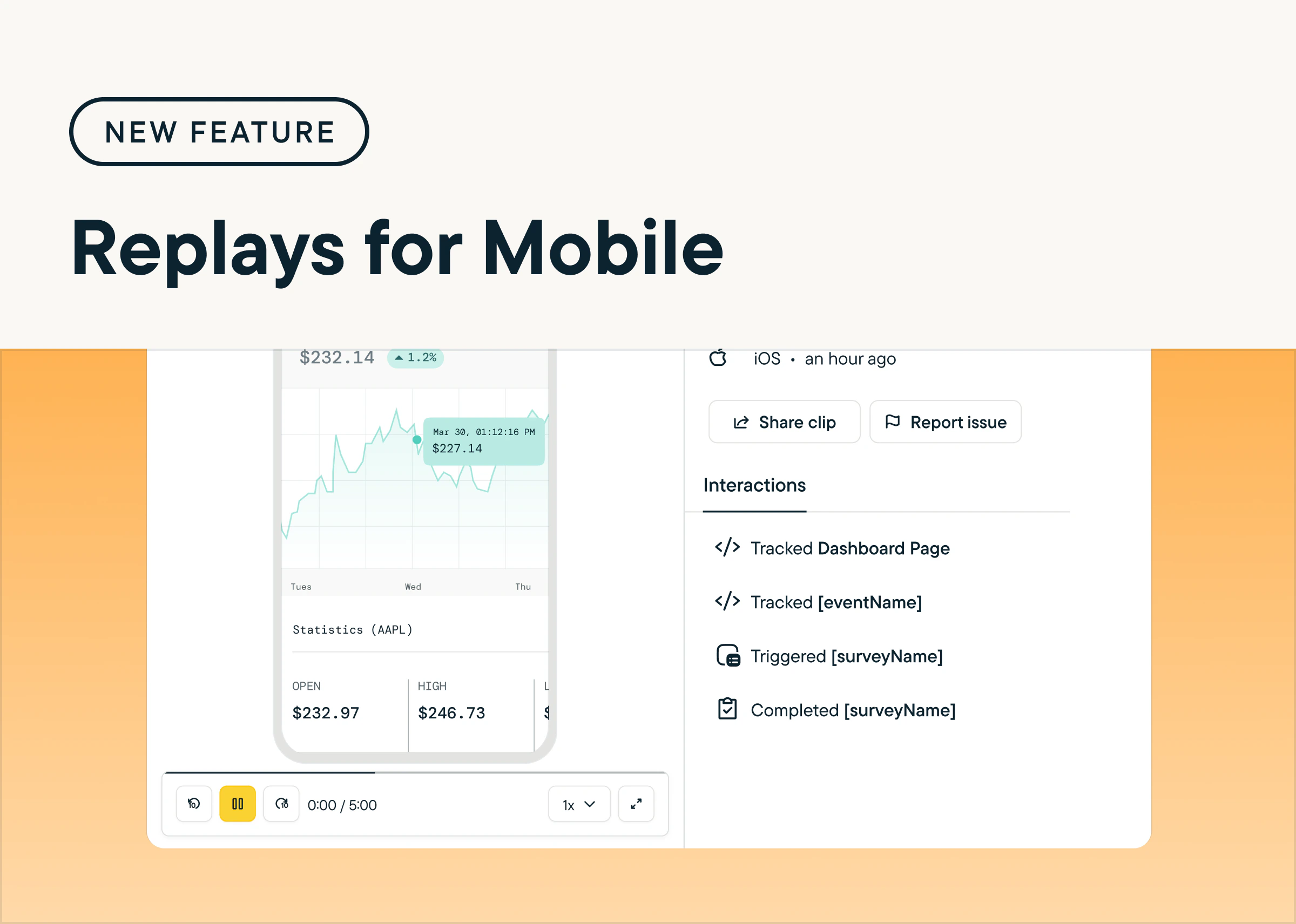
Reproduce Users’ App Journey with Replays for Mobile
by Maha ChaudhryUnderstand how users navigate your mobile app and uncover opportunities to improve the experience with Sprig Replays for iOS, Android, and React Native. Replays for Mobile lets you reproduce key moments from the user journey, helping you identify friction points, validate changes, and prioritize new features for your mobile experience. To try it out, create a new Replay study and select Mobile App under Delivery Platform. (Sprig SDK update required)
Achieve Faster Insights Using AI Study Creator for Replays
by Maha ChaudhryThe Sprig AI Study Creator now includes Replay study templates, allowing you to quickly and effortlessly generate Replays tailored to your specific product goals. To get started, navigate to the Sprig dashboard and click New Study in the navigation menu. At the top of the page, simply enter your study goal and select Generate Ideas. Based on your input, Sprig AI may recommend a Replay template that aligns with your objectives, helping you gain actionable insights faster.
Enhance Survey Usability with Sticky Headers and Footers on Web
by Maha ChaudhryIn-product Surveys now feature fixed headers and footers, making it easier for users to complete surveys by keeping important information visible at all times. This design update is currently available on web surveys, with mobile support coming soon. To enable this feature, ensure you’re using Sprig Web SDK v2.32.4 or later—your web in-product Surveys will automatically include sticky headers and footers with no additional set up.
Turn Product Insights into Impact with Sprig AI Recommendations
by Maha ChaudhryNow, Sprig AI provides actionable suggestions to improve your product by analyzing user behavior and sentiment data from your Sprig studies. Click on any Opportunity to reveal the unique product challenge Sprig AI has uncovered, along with actionable recommendations to address it. Beyond the Sprig Home page, you’ll find Opportunity insights and their corresponding AI Recommendations on the Sprig Home page, as well as the Summary page for Survey and Feedback studies, with support for Replays and Heatmaps coming soon.
Expand Survey Flexibility with Matrix Questions Now Available on Mobile
by Maha ChaudhryMatrix questions are now available for mobile web and app surveys, extending their use beyond desktop web surveys. On mobile, matrix questions automatically use an accordion format for easy navigation, and this display option is now also available for desktop surveys. To add a Matrix question to your survey, select “Add Question” in the Study Editor and choose “Matrix”. (Sprig SDK update required)
Generate Insights Across Your Entire Product with Sprig AI Explorer
by Maha ChaudhrySurface actionable insights about your entire product experience with Sprig AI Explorer’s cross-study analysis. AI Explorer reviews data across all of your Survey and Feedback studies, generating customized reports that answer your unique product questions. Plus, you can filter your insights based on specific Sprig studies and date ranges. Try it out by heading to the Explorer page in the Sprig navigation bar and clicking + New Report.
Get More Precise Insights with the Heatmap Background Selector
by Maha ChaudhryNow, you can select the most relevant background for your Heatmap study, allowing you to choose a page variant that best aligns with your study goals—no longer limited to the first captured session. This enhancement provides more flexibility and precision in gathering insights. Just go to a launched Heatmap study, select the gear icon next to the heatmap visual, and click “Change Background”.
Discover Deeper Engagement Insights with Scrollmaps
by Maha ChaudhrySprig Heatmaps now includes scrollmaps, enabling you to visualize how far your users scroll down a page in your product or website. This new addition can help you identify features and content that may capture or lose attention, so you can make smarter decisions to boost user experience. Check out scrollmaps by heading to the Summary page of any of your Heatmaps.
Simplify Your Workflow with the Improved “New Study” Button
by Maha ChaudhryWe’ve made it even easier to get started in Sprig! Now, you can create a study directly within the “New Study” button located in the Sprig app’s sidebar, instead of having to go through the Sprig Template Gallery. This update allows you to quickly launch studies without any extra steps, so you can focus on collecting product experience insights faster. Give this improvement a try by creating a new study today.
Enhance Your Analysis with Filters for Individual Study Responses
by Maha ChaudhrySprig now offers a new way to dive deeper into your study results with individual response filtering. This update gives you the ability to filter down on specific study responses based on the time period or how users answered particular questions. This makes it easier to parse through individual responses to find the insights that matter most. Try out the new filtering option by heading to the “Responses” tab in any of your studies.
Rapidly Launch Sprig Studies with the AI Study Creator
by Maha ChaudhryWith the new AI Study Creator, anyone on your team can instantly generate Sprig Surveys that are tailored to solve your specific product goal. Sprig AI even generates custom multiple choice, rating scale, and open text questions for your survey, so you’ll always ask your users the right questions. To try the AI Study Creator, click “New Study” in the Sprig nav, enter your study goal, and click “Generate ideas.”
Understand Product Behavior at Scale with Sprig Heatmaps
by Maha ChaudhrySprig’s newest product, Heatmaps, lets you visualize your users’ in-product clicks, scrolls, and movements to see exactly how they interact with your product. Plus, Sprig AI analyzes your Heatmap results to automatically uncover opportunities to improve your product experience. Launch a Heatmap by clicking “New Study” in the Sprig nav and selecting “Heatmap” under “Create from Scratch.”
Organize Your Sprig Study Insights with Dashboard Improvements
by Maha ChaudhryWe’ve made a ton of user-requested updates to Sprig Dashboards! With these new Dashboard updates, you can now save and pin charts with advanced filters, drag and drop charts, name your charts, and see the responses behind Open Text AI themes within a chart. To try this new Dashboard functionality, pin a results chart from a recent study or update one of your existing Dashboards.
Instantly Launch Sprig Feedback Studies With New Templates
by Maha ChaudhrySprig’s expert-made Template Gallery now includes Feedback templates so that you can launch Feedback buttons in just a few clicks. These templates are designed to address common product goals, from continuously collecting product feedback to finding and fixing pain points. Just enter “Feedback” in the Template Gallery search bar, filter by Feedback study type, and pick a template that matches your goal.
Customize Your Sprig AI Analysis Insights With New Study Goals
by Maha ChaudhryNow, you can share your study goal with Sprig AI to receive results that are tailored toward your study objectives across your AI Summary, Open Text Analysis themes, and ongoing insight generation. Try it out by going to any of your Sprig Survey and Feedback results and adding your specific study goal. Your AI Analysis will refine based on your goal, and your study’s underlying response data will remain unchanged.
Quickly Find Essential Study Details With The Expanded Study Sidebar
by Maha ChaudhryNow, you no longer need to enter the Sprig Study Editor to audit or debug a study. You can find additional settings displayed in your study sidebar, including targeting, multi-language settings, logic grouping, and Replay clip configuration. Just head over to the Studies tab and click into any of your studies to see the expanded sidebar details.
Effortlessly Launch Sprig Replays With Newly Added Templates
by Maha ChaudhrySprig’s expert-made Template Gallery now includes Replay templates, so you can launch Replays in just a few clicks. These templates are designed to answer common product questions, from spotting UX friction points or optimizing new features. Just enter “Replay” in the Template Gallery search bar and select a Replays template that matches your goal.
Seamlessly Launch Sprig Studies With New Study Editor Improvements
by Maha ChaudhryWe’ve made a host of user-requested optimizations to the Sprig Study Editor! These updates include the ability to: add rich text editing to all question types, drag and drop Multiple Choice responses, show Multiple Choice responses in a dropdown, add a footer to Open Text questions, and skip adding video prompts for Voice and Video questions. Test out these updates by creating a study from scratch or a template.
Capture Continuous Feedback Right In Your Product Or Website With Sprig Feedback
by Maha ChaudhrySprig Feedback, the newest addition to our product experience platform, empowers you to effortlessly capture continuous user feedback right in your product or website, so you always know what your users are thinking.Here’s how Sprig Feedback enables you to continuously learn from your users:- Seamless Setup: Launch Feedback buttons across your core flows in minutes and enjoy ongoing insights without having to lift a finger again.
- More Feedback, Less Effort: With passive Feedback buttons built into your product experience, expect to receive up to 3x more responses from your users.
- Actionable Recommendations: Use the Sprig AI you know and love to instantly analyze feedback and receive recommendations to take your product to the next level.

Launch Studies In A Flash With The New And Improved Sprig Template Gallery
by Maha ChaudhryOur customer-favorite Template Gallery is now even better with our latest update, enabling you to explore study templates by product use cases. You can easily create and launch studies that are tailored to your specific product goal with templates that cover every product question, from gauging feature satisfaction to understanding user personas. Try out the Template Gallery and effortlessly launch a Sprig study to solve your most important product challenges.
Easily Share Sprig Insights With Your Team With The Updated Channel-Specific Slack Integration
by Maha ChaudhryWe’ve revamped our popular Slack integration, enabling you to send Sprig study response data to specific Slack channels of your choice. This new and improved integration makes it easy for your team to gain visibility into the Sprig insights that are most relevant to them.To test it out, first connect your Slack account to Sprig. Then, add Slack notifications right after you launch for a new study and on the Connect tab for an in-progress study. Check out our Help Center for more details.
Accelerate Your Time To Insight With An AI-Optimized Study Results Page
by Maha ChaudhryNow, your Sprig studies’ most valuable product takeaways are front and center with the updated study results page. You can easily find your study results’ AI Summary at the top, plus we’ve added an AI Insights sidebar featuring product opportunities, correlations, trends, and strengths surfaced from your study. To explore the AI-optimized study results page, just head over to any of your in-progress or completed Sprig studies.
Automate Your User Insights With AI-Powered Session Replay Analysis
by Maha ChaudhryNow, you can leverage the power of AI to instantly pull actionable insights from your Sprig Replays. AI Analysis for Replays reviews and organizes your Replay clips into themes based on specific actions your users take in your product. Here’s why it’s a game-changer:📈 Scalable Insights: It can be near impossible to watch every session recording that’s captured in your product. But with Sprig AI, no clip goes un-analyzed. They’ll get grouped into key themes to give you a holistic view of how users interact with your product.⏱️ Time Savings: Say goodbye to manually sifting through session recordings in search of meaningful takeaways. Let Sprig AI identify user behavior patterns for you, so you can spend your time putting those insights into action.🤝 Enhanced User Understanding: Gain an unprecedented understanding of your users’ experience. With the power of Sprig AI, you can automatically uncover valuable insights into your users’ behavior, needs, and pain points.AI Analysis for Replays is now available to all Sprig users. To try it out, just launch a standalone Replay in Sprig. Once it’s done capturing session clips, click Generate Groups and Sprig AI will categorize the clips to reveal trends in your users’ behavior.
Get A Steady Stream Of Product Opportunities With Sprig AI Product Insights Feed
by Maha ChaudhrySprig AI Product Insights Feed is now available in your account! This AI-powered feed automatically surfaces the most valuable product takeaways across all your Sprig studies in one spot. You’ll see survey result summaries, plus product insights like opportunities, trends, correlations, and strengths. Head over to the Home tab in the Sprig app to explore the insights your team has already captured.
Customize Multiple Choice Survey Questions With New Response Choice Options
by Maha ChaudhryBy popular demand, we’ve added a pinned response option, which anchors specific Multiple Choice responses to the bottom of your choices, even if you randomize the order. And we’ve built a “None of the Above” response option, which stops respondents from selecting extra choices for Multi-Select questions. To try them out, add a Multiple Choice survey question and click the Add Choice dropdown. (Requires Sprig SDK update)
Target Studies Using Data From Your Stack With Our RudderStack Integration
by Maha ChaudhryWith the Sprig & RudderStack partner integration, you can get even more precise with filtering your study audience. This integration enables you to hyper-target your Sprig in-product Surveys and Replays using customer event data sourced from multiple platforms via RudderStack. To connect Sprig & RudderStack, follow the directions listed here. There’s even a code-free installation option!
Get More Detailed User Feedback With Matrix Survey Questions
by Maha ChaudhryEfficiently ask your users several questions about a similar idea with the new Matrix question type. To add a Matrix question to your next survey, click Add Question in the Study Editor, and select Matrix in the dropdown menu. Note that Matrix questions are optimized for Desktop Web delivery, so they won’t be shown to Mobile Web users and can’t be used in Mobile App surveys. (Requires Sprig SDK update)
Auto-Deliver In-Product Surveys To The Right User In The Right Language
by Maha ChaudhryNow, you can launch a Sprig study in multiple languages, plus leverage location attribute targeting to send them to the right user in the right language. To use the new Multi-Language Studies feature, click Add language at the bottom of your study’s Questions tab, upload your translated study, and set your language targeting. (Requires Sprig SDK update for right-to-left languages)
Share Sprig Product Experience Insights Across Your Org In Just A Few Clicks
by Maha ChaudhrySee an interesting Sprig study result and want to spread the word? You can instantly share a specific Sprig finding with your teammates using shareable result card links. Just head to your study’s Summary page and click Share in the top right corner of any result card. This will copy the card’s specific URL to your clipboard, so you can quickly give your team visibility into what’s happening in your product experience.
Find Your Sprig Studies In An Instant With The New List View
by Maha ChaudhrySorting and skimming through your Sprig studies is easier than ever with the new List View of the Studies page. This view includes chronological sorting, so you can quickly find the studies your team has most recently created or edited. Plus, we’ve also added new filters for study status, type, and platform. Switching between Grid View and List View is as simple as selecting the icon on the top Navigation bar.
See Essential Details About Your Study’s Design In Just One Click
by Maha ChaudhryTo give you a quick yet complete snapshot of a specific study’s design, we’ve added extra details on each study’s Summary page. In the right panel, you’ll now see new metadata like the study type, folder, and creation/launch date, alongside your targeting settings. To see these expanded details, head to a study’s Summary page and click on Details in the right-hand side bar.
Quickly Troubleshoot Study Delivery With The Study Diagnostics Funnel
by Maha ChaudhryEver wonder why your study isn’t getting as many responses as you expected? The new Study Diagnostics Funnel breaks down your study’s audience across several stages, so you can understand exactly who is eligible to take your study and detect potential delivery bottlenecks. To explore the funnel, head over to your study’s Summary page and click Inspect in the Response Rate field.
Filter and Analyze Study Results Based on Users’ Open Text Responses
by Maha ChaudhryYou can now filter your study data based on users who respond to open text questions with certain words or phrases. These filters make it easy to dig deeper into your analysis, like see if respondents who give lower satisfaction scores have common open text feedback on pricing, functionality, etc. To analyze with response filters, go to a study’s Summary page, click More Filters, and select any open text question.
Test Studies Directly In Your Mobile App Before You Launch
by Maha ChaudhryYou can now use Sprig’s study preview feature to test your mobile study’s design and triggers directly in your mobile app product. First, finalize your study’s Audience settings, and then select Preview on your mobile app on the right-hand sidebar to generate your study test. Note that this feature requires updating your Sprig SDK and adding an additional code snippet – see our docs for instructions.
Explore Your Users’ Experience With New Replays Interaction Logs And Clip Links
by Maha ChaudhryIn case you missed it, Sprig Replays is officially out of beta and available to all of our valued Sprig users. We’ve added a ton of new features since the beta release, including a new interaction log that shows your users’ device, clicks, events, and page visits, plus the ability to share specific session clips with your team via timestamp links. Launch a Replay today and try the new and improved product!
Easily Download Large Study Data Files With New Email Delivery
by Maha ChaudhryPrefer to analyze your Sprig study data using your own tools? With new async CSV exporting, you can multitask while Sprig processes and packages tons of study data in the background. All you have to do is click Download CSV on your study’s Summary page. Once the export is ready, you’ll automatically receive a download link in your email inbox. Try it out by downloading CSV data for one of your studies.
Sprig Replays is now available to all users!
by Maha ChaudhrySprig Replays is now officially out of beta and available to all of our valued Sprig users across our Free, Starter, and Enterprise plans! With Replays, you can watch targeted clips of your product experience and pair them with in-product Surveys to connect the dots between users’ sessions and sentiments. Here’s why it’s a game-changer:👀 Short, Focused Clips: Say goodbye to hours of watching recordings. Sprig Replays captures short clips of your users’ product experiences, giving you a snapshot of their product behavior.🚀 Targeted Insights: Pinpoint and capture the specific user moments that you’re interested in (like your onboarding flow or new feature engagement) with event-based targeting.📊 Pair with Surveys: Take your insights up a notch by pairing Replays with in-product Surveys to understand exactly what experiences influence your users’ sentiment and how you can enhance it.To start using Sprig Replays, log in to your Sprig account, and you’ll be able to explore this powerful new addition to our platform — just make sure your team is on the latest Sprig SDK. Want some guidance to help you make the most of this product? Check out our Replays tutorial video and documentation.
Get Even More Accurate Study Analysis From The Sprig AI Chatbot
by Maha ChaudhryNow, you can dig even deeper into your study results with Sprig AI. We’ve made major optimizations to the large language model behind the Sprig AI chatbot, making it 90% more accurate in responding to your custom analysis questions. Test it out for yourself by asking Sprig AI to spot correlations and suggest product improvements based on your study results.
Review Replays in a Flash with Speed Controls and Improved View
by Maha ChaudhryWe’ve made improvements to Sprig’s newest product Replays, so it’s easier to analyze your users’ product experience. You can now watch session clips at your own pace with custom speed controls. Plus, you can review a user’s replay clip and in-product survey response side-by-side, linking their session to their sentiment. If you’re in the Replays beta, launch one today to test out the updates!
Analyze Study Results Based on Users’ Responses with Question Filters
by Maha ChaudhryDig deeper into your study results with Sprig’s new study response filters. Now, you can filter your study responses to only users who respond to a specific question in a particular way. Wondering if respondents in a certain age group are more likely to be satisfied with a feature? Or if customers who prefer a certain competitor have common feedback on why? Now, you can analyze your results to find these answers directly in Sprig.This feature is an addition to Sprig’s existing date range and attribute filters for study response analysis. To analyze with response filters, just go to your study Summary page and under Received within, click More Filters and then Add Filter.
Manage Which Team Members Can Launch Studies with Editor Lite
by Maha ChaudhryWant more control over the studies your team launches? With the Editor Lite role, you can give certain team members permission to create and edit studies, but to launch them, they need to share the study link with a Developer, Editor, or Admin. To add new team members with the Editor Lite role or update existing team members’ roles, go to Settings and in the Team section, click Members.
Easily Monitor Your Team’s MTU Usage With New Filter Views
by Maha ChaudhryWant more insight into your Sprig account’s MTU usage and where they’re coming from? We’ve added a new feature that allows you to break down your team’s MTU usage by user identity (anonymous vs identified) or platform (Web, Android, iOS, Segment, API, CSV Upload). You can find MTU filter views by just going to Settings and clicking Usage in the Team section.
Test Studies Directly In Your Web Product Before You Launch
by Maha ChaudhryWant to make sure your study design and triggers are working as expected before launch? You can now use Sprig’s new study preview feature to test your study directly in your web product. Once you finalize your study’s Audience settings, select Preview on your website on the right hand sidebar and generate your study test in just a few clicks!
Ask Targeted Study Questions With Advanced Skip Logic
by Maha ChaudhryWith our new and improved Skip Logic beta feature, you have even more control over which questions you display to your users based on how they respond to both current and previous questions. Improvements to this feature also include the ability to add multiple logic conditions to a single question and new “does not include” operator for multiple choice multi-select questions. Create a new study to try out advanced Skip Logic (just make sure your Sprig web SDK is up to date!)
Get Rapid Sprig Support With Our New In-Product Chat Tool
by Maha ChaudhryNow, you can get all of your burning Sprig questions answered easily and quickly, thanks to our new support chat! Wondering what’s the best installation method for your team? Or need tips on creating the right study targeting to reach the right audience? Our support team is here to help via chat! Just click on the purple chat icon at the bottom right of the Sprig app and ask away.
Connect Your Product Insights to Your User Insights with the Mixpanel and LaunchDarkly Integrations
by Maha ChaudhryWith Sprig’s new integrations with Mixpanel and Launchdarkly, product teams can now quickly identify areas for improvement, measure the impact of changes, and confidently iterate to create better product experiences. Already using Mixpanel or Launchdarkly? Start using them with Sprig today by heading over to the Sprig Integrations Gallery to install in just a few clicks.
Dig into Your User Data More Easily with the Updated Navigation Design
by Maha ChaudhryThe Sprig Data Hub and People page have been replaced by the new Users, Events, and Attributes pages. This flattened navigation makes it easier to review the user data that you send into Sprig and leverage for precise study targeting. Explore these new pages by adding a new Event or attribute, creating a Group to regularly reach certain cohorts, and more.
Rapidly Surface Rich Product Insights with GPT-Powered AI Analysis
by Maha ChaudhrySprig AI Analysis, now powered by Open AI’s GPT, has officially launched and is available to all Sprig Enterprise customers. Sprig AI Analysis now offers much faster and more detailed feedback summaries of your open-ended survey responses. Check out your recently-launched studies to see the new AI in action, turning loads of raw response data into clear-cut product recommendations.
Get an Inside Look at Your Users’ Product Experience with Sprig Replays
by Maha ChaudhrySprig is excited to expand our product experience insights offering with Replays. With this new product, you can watch a clip at a targeted point in the user journey, like in your onboarding flow or as they use your newest feature, so you can see firsthand what’s working and what’s not. Ready to launch a Replay yourself? This product is currently in beta, so if you don’t see it in your account yet, just keep an eye out!
Update on Sprig Platform Feature Offering
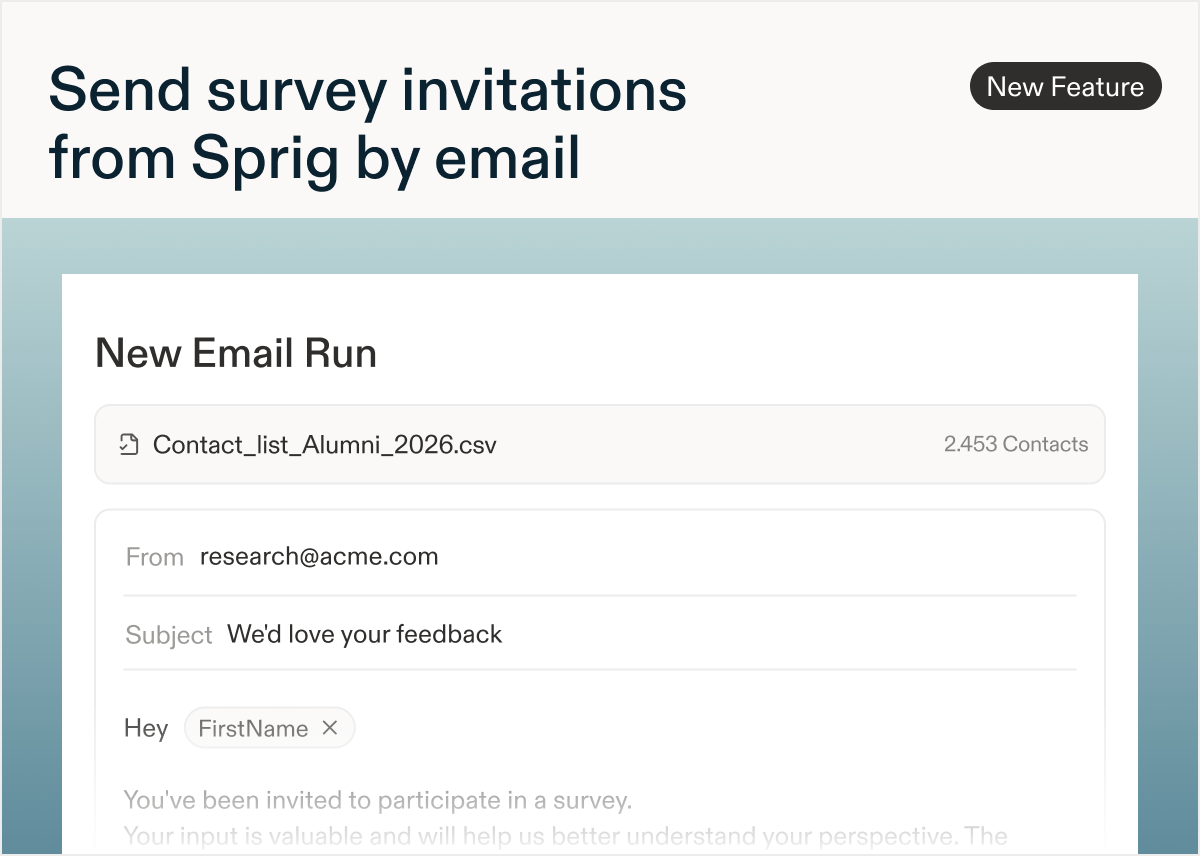
by Maha ChaudhryAt Sprig, we value continuous iteration to ensure that we are always building bigger and better products that meet the evolving needs of our users.To this end, we’d like to share that due to low adoption among our user base, the Sprig platform will no longer support study delivery via Email. You can still send email studies using your own CRM by selecting Link delivery and embedding the URL into an email.This decision will allow us to focus on developing products that we know our users will love. That includes our upcoming May 3rd product release, which we anticipate will be a game changer for all Sprig users. Feel to reach out to your dedicated Sprig representative if you have any questions.Get Started with Sprig in a Flash With Interactive Installation Guides
by Maha ChaudhryIn the recently revamped Integrations Gallery, we’ve added step-by-step installation guides so you can quickly onboard onto Sprig and start sending In-Product Surveys with advanced targeting. You’ll also see automatic verification statuses once you complete each installation step, making it easier for you and your developers to track your progress through the installation process.Haven’t installed Sprig yet? Explore all of your options, including Javascript, GTM, and Segment here.
Make Product Decisions Backed By User And Product Data With the New Amplitude Integration
by Maha ChaudhryWant to elevate your product development by leveraging user insights and product metrics together? The new Sprig and Amplitude integration automatically sends your Sprig In-Product Survey data to Amplitude, so you can identify customer behavior trends with Amplitude and uncover the user insights driving them with Sprig. Learn more about the integration or install it in just a few clicks here.
Seamlessly Connect Sprig to Your Product Stack With The Revamped Integrations Gallery
by Maha ChaudhryThe Sprig Connect page has been completely redesigned into the new Integrations Gallery. You’ll see new categories, plus dedicated pages for each integration with extra details and instructions. These updates make it easy to send user insights and product data between Sprig and your favorite tools. Click here to explore the Integrations Gallery yourself and start connecting Sprig to dozens of other tools.
Boost your In-Product Survey targeting with our new Census integration
by Maha ChaudhryWe’re excited to share that Sprig has teamed up with Census to make your In-Product Surveys even more powerful.This new integration enables you to supercharge your In-Product Survey targeting by syncing user data from your warehouse into Sprig. With rich product, support, and sales data at your fingertips, you can precisely segment and survey the right users to capture the right insights. For example, you can send Sprig In-Product Surveys to specific cohorts based on characteristics like lifetime value, NPS & CSAT scores, product engagement, and so much more.Learn how your team can capture targeted user insights with Sprig and Census here.
Easily manage your Sprig team’s MTUs and Study Usage
by Maha ChaudhryWe know just how important it is for Sprig customers to get the most out of their plan every month. That’s why we’ve released an updated Usage page, which offers Sprig customers increased visibility and control over their team’s MTUs and Study usage.Under Settings > Usage, Sprig admins can directly manage their MTUs, Surveys, and Concept Tests usage to ensure their team doesn’t hit their monthly limits. These management options include requesting hard limits and MTU sampling, archiving unused Events & Attributes, and turning off active, but unused Studies. This tool also provides non-admins with additional visibility by displaying their team’s Study usage and a list of all active Studies for that month.For more information on MTU and Study Usage in Sprig, check out our Docs.
Keep track of your In-Product Surveys’ delivery with the new Engagement Report
by Maha ChaudhryWondering if your Sprig In-Product Surveys are being delivered to your audience as you intended? Now you can review the Engagement Report on each survey’s Summary page.In the Engagement Report, you’ll see each user within your survey audience with a tag indicating their engagement stage with the survey. These stages include if the survey has been sent/delivered, seen, started, or completed. You can also review how your audience’s engagement with the survey has changed over time, which can be especially helpful for continuous In-Product Surveys.For more information on how to debug your survey delivery with the new Engagement Report, check out our Docs.
Create a Sprig study even faster with our latest Questions tab optimizations
by Maha ChaudhryWe’ve just released a handful of optimizations in the Sprig Study Editor Questions tab, making it even easier for Sprig users to create and edit a survey or concept test.Thanks to these improvements, you can now:- Collapse and expand the content in each question
- Drag and drop a question to reorder it in your study
- Quickly add a new question with the redesigned “Add Question” button at the bottom of the Study Editor
- See all the customizable copy in a question without having to click into a dropdown

Announcing the Sprig and User Interviews Integration
by Maha ChaudhryWe’re excited to share that Sprig has teamed up with User Interviews to give you the option to test with the right users, either your own or a panel, without any hassle.If you’re launching a totally new product without a current user base, introducing functionality to a new persona, or wanting an outside opinion from someone who’s never opened your app, Sprig + User Interviews will provide everything you need to test quickly and get the insights you need.- Design with confidence by using Sprig’s rapid, browser-based unmoderated testing platform
- Connect Sprig tests with User Interviews in one click to instantly access 2.1 million top-rated panel participants
- Leverage a two-way integration to automatically pay out incentives in User Interviews once your Sprig tests are complete

Embed prototypes from your favorite design tools in a Concept & Usability Test
by Maha ChaudhrySprig has expanded its prototype integrations, enabling you to embed wireframes, mockups, or prototypes from all major design tools into a Concept & Usability Test. Now, Sprig users can easily capture rich user feedback on concepts and designs prior to launch, regardless of their design stack. In addition to many popular design tools, you can also insert a prototype link from Google Drive or Webflow into your concept test. For more information, check out our Docs.Figma Sketch AdobeXD Miro InVision Google DriveFramerMarvelProtopieJustinmindAxureWebflow
December 8, 2022
Hypertarget studies with event property triggers
by Nikhil PatelDoes your product track event properties? Many teams use an architecture with event properties, which attaches additional metadata to each event that contains details about the interaction.Sprig now supports triggering surveys when certain event property criteria is met, making it easier to target a survey to the right users at the right time.Starting today, your team will be able to send event properties to Sprig from our various SDKs (Web, iOS, Android, and React Native), as well as from Segment. Make sure to upgrade your SDKs in order to utilize this new feature. For details about updating your SDK, see our Docs.
Improve your users’ mobile survey experience with trigger delays
by Maha ChaudhryAt Sprig, we know the importance of capturing real-time feedback from mobile users while keeping their product experience seamless. That’s why we’ve added in a new option that allows you to set a trigger delay for any mobile survey, just like you already can for Web surveys. By improving the experience of displaying a mobile survey, you can expect more survey responses and more satisfied users.To learn more about Mobile Trigger Delays, check out our Docs.
Capture important information by making study questions required
by Maha ChaudhryWe’re excited to release one of our most requested features: required questions. Now, you can require respondents to complete certain questions before they can move forward in your study. This feature can be leveraged to capture essential information from your users, such as customer satisfaction KPIs and user contact information.To leverage this feature, we recommend confirming that you are on the required Sprig SDK listed here. To learn more about Required Questions, check out our Docs.
Now your team members can easily join Sprig with domain-based Team Discovery
by Maha ChaudhryWe’ve made it easier than ever to help your colleagues join Sprig. Now, once you configure your team’s email domain (contact support@sprig.com to do so), colleagues will automatically be able to join your team’s Sprig account.Sprig believes user research is most powerful when the entire company is empowered to learn from it, which is why we do not charge by seat. Domain-based Team Discovery helps you take advantage of this value and easily share Sprig insights internally.The existing ability to manually invite team members from Settings is unchanged. Teams with SSO should continue to use that functionality to control access, which also remains unchanged.Learn more in our Docs.Introducing Rating Scale, our revamped One to Five Scale question type
by Rachel WangSprig customers rely on our popular “One to Five Scale” question type to measure their customer and feature satisfaction. This feature is now transformed into the new and improved “Rating Scale”. The revamped question type will offer a variety of range options, including 3, 4, 5, 7, and 10-point scales. Plus, you’ll be able to help users visualize their rating by using stars ⭐ or smileys 🙂 across the scale.
Users can now specify “Other” to multiple-choice questions
by Rachel WangWhat if none of your survey response options match what your users want to share? Now, they will be able to respond in their own words instead of yours, thanks to the addition of an “Other” open-response option to any multiple-choice question (single and multi-select).When users respond with “Other”, a text box will pop up to give them the space to share more feedback. And, you’ll be able to easily click to explore the individual open-text responses that flow in.
A new warning to proactively flag incompatible SDK versions
by Nikhil PatelWhen Sprig launches new features, some of them (like new question types) require that your engineering team update your codebase to include the latest version of the Sprig SDK, which controls how studies are displayed to users of your site or app. Your users are only eligible to see the studies that are supported by their version of the SDK.If you’ve set up a study using a new Sprig feature, but many of your users do not have the latest version, they will not be eligible to see your study, which can slow down how fast your study completes.Starting today, you will see a warning if your study uses a feature from an SDK version that many of your users do not yet have. This warning will show approximately how many users are not eligible for your study, helping you decide whether to launch your study or adjust which question types you’ve used.For more information, check out our Docs.
More data and control when exporting study results CSV
by Nikhil PatelWe’ve made a number of improvements to increase the amount of data, as well as the control you have, when exporting your study’s results as a CSV.Completion
There is a newcompletedAt column that records the timestamp that the user completed the study.Secondary header row
The second row of all CSVs will now contain more information about the header columns. You can see the question text, choice text, or other relevant context all within the CSV — no need to swap back and forth between Sprig.Attributes
Previously, all attributes were combined into one column, which required some Excel magic to separate into their own columns. Now, attributes will be split out into their own column, and you can select which set of attributes you’d like included in the CSV.Themes
Like attributes, themes were combined into one column. Now, themes will also be split out into their own columns, and you can select which questions’ themes you’d like included in the CSV.Values and labels
Depending on your preferred analysis workflow, you can select whether you’d like the data for responses as columns that contain values, labels, or both.If you select labels:- Multiple Choice Single Select: One column will contain the text of the user’s choice
- Multiple Choice Multiple Select: One column will contain a comma-separate list of all choices selected by the user
- Questions that contain themes: One column will contain a comma-separated list of all themes present in the user’s response
- Multiple Choice Single Select: One column will contain the numeric value of the user’s choice (e.g. if the user selected the 2nd option, the column will contain
2) - Multiple Choice Multiple Select: One column will be created for every choice, containing a
1if the user selected that choice - Questions that contain themes: One column will be created for every theme, containing a
1if the theme is present in the user’s response
Other question types
Consent / Legal, Recorded Task, and Voice & Video questions will have their data broken out into separate columns (similar to the change made to attributes).Re-launch and unarchive studies (and delete questions)
by Nikhil PatelToday we’re excited to release three new abilities for already-launched studies:UnarchiveArchiving a study is no longer a permanent action. If you’ve accidentally archived a study, or want to bring it back into view, simply find the study and unarchive it.Relaunch a completed studyCompleted studies can now be un-completed and relaunched! If you’d like to continue a study that you marked as completed, or that automatically completed, simply adjust its Response Options to the new desired completion threshold (number of responses until completion) or completion date, and launch again for even more insights.Question deletion post-launchIf you’ve already launched your study, but would like to delete a question, this option is now available to you. Note that deleting a question will delete its responses — so if you’d like to keep the response data, either export the study results before deleting, or keep the question around and bypass it via skip logic.Manage your attributes in the new Data Hub!
by Nikhil PatelAttributes can now be managed within Sprig, just like Events! The new Data Hub page will let you view, edit, and archive your team’s attributes.Archive
Like events, attributes can be archived to remove them from view and pause tracking. Attributes can be archived (or unarchived) in bulk by selecting their checkboxes.Search, sort, and filter
Search attributes by their name, display name, or description. You can also filter by source to view attributes from different code sources or that were created from CSV upload.View details
Each attribute will show information around relevant studies that use it, usage, creation date, and other metadata.Add display names and descriptions
Your team can now add display names to attributes, which will be shown across Sprig instead of the original key. This allows your team to set more descriptive or relevant names for all of your attributes – and because display names can be changed at any time (unlike the key), it will be easier to keep attributes names in sync with the product as changes are made.Descriptions can also be used to add additional detail or context around the attribute.


New webhooks: study sent and study seen
by Nikhil PatelWe’ve introduced two new webhooks subscriptions for study sent and study seen. These new subscriptions join the existing ones (answer submitted, study submitted, theme identified, and study status changed).To use these new Webhooks, open up the Webhooks options on the Connect page. To find out more, see our Docs
Unifying the data available across all export methods
by Nikhil PatelWe’ve heard from some customers that the data they want was not available in their preferred export method, so we’ve brought all of our export methods to parity with each other. Now, you can get the same data in whichever way works best for your team: via our Export API, webhooks, Segment Stream, Zapier, or CSV. Read more in Docs.Duplicate studies between Development and Production
by Nikhil PatelStudies can now be duplicated between environments, so you can set up a study in Development, test it out, and then duplicate it to Production to launch it!When studies are duplicated, all of the questions, as well as the platform setting, will be carried over to the duplicated study. You will still need to configure the Audience settings to select Triggers and Filters in your Production environment.
Test concepts and prototypes before you build with Sprig’s Concept Testing
by Rachel WangThe latest Sprig solution Concept & Usability Testing enables you to test ideas, designs, and prototypes before building a product.That means you can now use Sprig to:- Embed multiple interactive Figma prototypes into a single Sprig test with just one click
- Ask users to complete recorded usability tasks and provide feedback via audio or video without downloading plugins or extensions
- Add an NDA for review and obtain consent from users before they start a test


New Template Gallery with previews, search, and much more!
by Rachel WangWe’re excited to announce a major revamp of our Template Gallery, which makes it quick and easy to see what’s possible within the Sprig platform. The new experience organizes templates by use case, enables searching for specific templates using keywords, and allows you to preview templates at the question-level prior to selecting it.New Templates GalleryTemplate Gallery searchQuestion-level previews


Improvements to Attributes values
by Nikhil PatelWe’ve made two improvements to Attributes that give you more options and control when determining who receives a study (or who belongs in a Group!) based on user attributes.New filter operators
In addition to the existing comparison operators (equal, greater than, etc), there are a new set of string (text) operators: contains, does not contain, starts with, and ends with. These are case-insensitive and can be used on any Attribute. For example, you can now easily create a Group of all internal employees:This Group can be used to exclude studies from being shown to internal users, or as a way to test your studies on Production with fellow teammates before launching.Removal of 100-value limit
Previously, Attributes were restricted to 100 discrete values, and any Attributes that had more than 100 values were automatically removed. We’ve been hard at work to remove this limitation and now proudly support any number of values for an Attribute!
A refreshed way to select Events, Attributes, and Groups
by Nikhil PatelWith our new visually-redesigned filter dropdowns, it’s easier than ever to find the right trigger or filter for your study!You can easily view and search through your Events, Attributes, and Groups — and a beautiful new popover shows relevant information like description and usage for each item to help you decide which targeting criteria you want to use.
View and share fullscreen study previews
by Nikhil PatelStudies can now be previewed in full screen, accurately showing how your users will see and experience the study.To open a fullscreen preview, open any study and click the Preview Study button.You’ll see a study that reflects your Look & Feel settings, and can toggle between different device sizes. You can also use Share Preview to copy a unique preview link to share with anyone!We’ve also updated previews for email studies to be more realistic, and showcase the user experience from receiving the email through the end of the study.


Introducing Groups, a new way to manage your people
by Nikhil PatelGroups are a brand-new way to manage cohorts of people. When setting up a study, Groups can be used to determine who sees your study, helping your team manage frequently-studied sets of users and reducing errors in targeting set-up.There are two types of groups: Manual Groups and Dynamic Groups:Manual Groups
Manual Groups are a defined list of users that can be uploaded from CSV or created by selecting people from the People table. Manual Groups can be used to target (or avoid targeting) specific people, manage panels or email lists, or import group information from other data sources.Dynamic Groups
Dynamic Groups are a set of saved filters (filtering people based on events, attributes, or other groups). The people included in a Dynamic Group dynamically change over time based on the eligibility criteria saved in the filters. As your user base grows and changes, the population of a Dynamic Group will change accordingly.

Introducing a revamped Events experience
by Nikhil PatelWe’ve redesigned the Events management experience in Sprig to provide more customization and controls for your team.Display names
Your team can now add display names to events, which will be shown across Sprig in place of the key (the event name sent from the SDK). This allows your team to set more descriptive or relevant names for all of your Code Events – and because display names can be changed at any time (unlike the event key), it will be easier to keep event names in sync with the product as changes are made.Archive & Unarchive
Events can now be archived and unarchived, and you can select multiple events at once to modify in bulk. Events that are archived will not be tracked, but can be restored at any time by unarchiving.Event requests
The new Events experience allows you to manage Code Events that have not been imported into Sprig yet. When a new event request is sent to Sprig from the SDK, it can be approved or denied before it begins tracking.New look & feel
We’ve made a variety of other quality-of-life improvements, including more source filters for Code Events, a redesigned modal for event details, and a new event creation/editing experience.


Make your study creation process more efficient
by Nikhil PatelWe’re making it easier than ever to create Studies. Your task flow is more optimized as you can now create Events during the study creation process for Web. To directly create the event you need to display your in-product study, when you add a new event trigger to a Web study, click + New Event.
Customize your study logic for skipped responses
by Rachel WangWe’ve recently introduced the ability to add logic based on skipped responses for Video & Voice, Open Text, and Multiple Choice Multi-Select questions.This change enables study creators to customize their study based on submitted and skipped responses, powering use cases like screening out users that don’t respond to a specific question, or directing users that skip questions to a different part of the study.
A Change to the Sprig Free Plan
by Lisa AshcraftPreviously, some Free plans from Sprig included the ability to deliver studies via [Web, iOS, and Android] (doc:web-mobile). The plan also included the ability to use the [Webhooks] (doc:webhooks) solution and the Data Export API.From May 2022, the Free plan will be limited to 3 [link-based] (doc:link-survey) studies with up to 5,000 tracked users per month. Access to various [question types] (doc:questions#adding-a-question), the template gallery and much more will still be available.If you want to keep using integrations and launching in-product studies via the Sprig SDK or other source integrations, ask your [Sprig Admin] (doc:account-and-login#permissions) to proceed with an [Upgrade] (doc:plans-teams-and-billing#how-can-i-upgrade) to the Enterprise plan.The Sprig account will transition automatically to the updated configuration.Improved multiple-choice responses in CSV export
by Nils PedersenWhen exporting study responses as a CSV, multiple-choice responses now have numeric representations, providing an easier way to analyze the data.- Multiple Choice Single-Select questions now have an additional column containing the index number of the selection. For example, if the user selected the 2nd choice, this cell will contain “2”.
- Multiple Choice Multi-Select questions have an additional column for the selection state of each choice presented to the user. “0” indicates no selection, and “1” shows that a selection was made.
Identify visitors when linking out to external URLs
by Rachel WangYou can now choose to send the visitor’s user ID and email when using an external URL in Text / URL Prompt. This allows you to match the visitor with their later actions. For example, you could use a web study to link out to a concept test and ensure the concept test is associated with the same visitor.See our documentation for more details!Rich text in Text URL/ Prompt questions
by Rachel WangText URL/ Prompt questions now feature text, list, and link formatting. You can highlight key phrases or link out to external pages based on your use case.Study creation experienceEnd user experience

Improved Link study with updated progress experience
by Rachel WangWe’ve recently updated our Link study experience to create a more delightful experience across platforms. The desktop experience is wider, while the mobile link experience is optimized for mobile devices. In addition, we’ve optimized the progress bar and between-question animations to create a better end user experience. Try it out now by creating your next link study!New NPM package for Sprig SDK Installation
by Rachel WangWe’ve heard your feedback, and added a new way to install the Sprig SDK: by using our new @sprig-technologies/sprig-browser npm package on your web application.This installation allows you to more easily manage SDK versions, and avoid fetching scripts from third-party sources at runtime. See our Web SDK documentation for the full details.Export Sprig study data in real time with Webhooks
by Nils PedersenWebhooks allow you to subscribe to real-time notifications for important events happening with your Sprig studies, meaning that you don’t have to rely on 3rd party integrations to pipe data from Sprig to your destinations of choice.We support webhooks triggered by the following study events:- Answer submitted - a user submits an answer to a specific question in a study.
- Study submitted - a user completes and submits a study.
- Theme identified - Sprig identifies a new theme associated with a study.
-
Study status changed - a study becomes paused, completed, etc.

People page and Visitor Timeline have a brand new look
by Nils PedersenThe People and Visitor Timeline pages have been updated with a brand new look and feel, including new avatars and search experience, easier navigation, and improved data display. We’re excited for these updates to serve as the foundation of the upcoming Groups feature.People page has been revamped with search and updated data display.Visitor Timeline has been updated for clearer display of user data, and more compact grouping of events on the timeline.

Video & Voice questions are now available on web
by Nils PedersenYou can now launch web studies with Video & Voice questions! Previously only supported on link and email studies, asynchronous video questions added to in-product web studies can provide richer and deeper context for end users.Note that we use 3rd party libraries to store and stream media data, so please refer to our Video & Voice documentation to understand how this may impact your web studies.Organize your study results with Dashboards
by Nils PedersenWe’re introducing Dashboards, a new way of keeping an eye on your most important study results. Teams can create their own dashboards to track important studies, parts of the user journey, or critical business metrics. Share dashboards with your team so everyone can stay on top of study results in real-time. Create a dashboard now, and check out our docs to learn more!
Video questions now have a brand new look!
by Rachel WangWe’ve heard your feedback for improving the video questions experience, and have revamped the look & feel to 1) create greater delineation between playing the video and recording a response, and 2) add button labels to make it easy to understand each interaction. Give it a try and let us know what you think!
Send ongoing email studies with the revamped email experience
by Rachel WangWe’re excited to announce the addition of new email study functionality, as well as increased stability and performance.As of today, you’ll be able to launch email studies with event-based filters.We’ve also revamped Response Options to support one-time and ongoing email sends. Ongoing sends will evaluate eligible recipients every hour, and send emails up to the daily cap. Once the total send limit for the study is reached, it will be marked as complete.

Updated Segment integration for web
by Rachel WangWith our new Segment Web integration, you can now leverage your existing website (client-side) Segment integration to install the Sprig SDK and show studies to your users, without needing to change your website code!Once set up, when Segment is initialized in your web application, the Sprig SDK will be installed. No Code Events like Page URL Events will be tracked automatically, and you can configure which Segment identify, track, and alias events are forwarded to our Sprig in order to import events and user attributes originating on your website.To import data from your mobile application or cloud-based Segment integration, use our existing Segment Cloud integration integration.To get started and for more details, view our Segment Web documentation!Usability improvements for creating questions
by Rachel WangWe’ve shipped a set of improvements to make it easier to create and modify the questions in your study. These improvements include saving question and multiple choice text when question types are changed, making it easier to create multiple choice questions, and moving text customizations outside of the ellipsis menu into the main question creation flow.
Updating the navigation into Templates
by Rachel WangWe’ve moved “Templates” out of the left hand navigation to create room for upcoming functionality. In the meantime, accessing Templates is just as easy as before. Get started by clicking ”+ New Study” and select the “Browse Templates” option to view all of Sprig’s template collections!
Introducing a new look & feel to the Audience tab
by Rachel WangWe’ve revamped the Audience tab in study creation to more clearly communicate the steps you need to take when setting up your Sprig study, including which settings require your input and which ones are optional. We’ve updated the language on this page to make each section easier to understand, though the power of the product remains unchanged.
Forward study responses to Segment with our newest integration
by Barak GilaYou can now send Sprig study responses to Segment, where they can then be exported to Segment’s hundreds of destination integrations, and easily power your existing processes and workflows.For example, you can forward study responses to Mixpanel to analyze in comparison with other user data. You can send them to HubSpot to better manage your CRM and marketing. Or you could forward them to be stored in Amazon S3, Snowflake, or other storage destinations for further use.To get started and for more details, view our Segment Stream documentation!Configuration for this integration can be found on Sprig dashboard > Connect.This functionality mirrors our existing Zapier integration, which similarly allows study responses to be inputs to thousands of Zapier-integrated applications.
Video questions now supported in Safari
by Rachel WangPreviously creating video questions was limited to non-Safari browsers like Chrome and Firefox. We now support video questions in Safari, making it easier for everyone to create and take video questions.
Preview your mobile studies right within Sprig
by Rachel WangOur new mobile preview makes it easy to try out the mobile end user experience. You’ll see this new functionality within the right panel of the audience tab, after you select mobile delivery method. This was one of our most requested enhancements, so we’re excited for you to try it out!
New in Folders: favorites and bulk actions
by Rachel WangWe now support the ability to favorite your folders, so that the most important ones show up at the top of your page. You can also bulk edit to archive or move multiple studies into a folder at once.
New lines now supported in the Text/ URL Prompt
by Rachel WangWe’ve updated the Text/ URL Prompt to support new lines in the body text, making it easy to visually organize larger amounts of text in the question body.
Organize all of your research with folders
by Kerry WheelerWe are excited to roll out a new folder system within the Studies tab to keep all of your research organized!To start, all of your studies will be organized within the General folder. But from there, users with admin permissions can create new folders to house specific studies. To add a study to a folder, simply click the three dots in the right-hand corner and choose which folder, or create a new folder, to move it into.A few ways we’d recommend organizing your research are by:- Research owner
- Subject (onboarding, churn, etc)
- Timeframe (Q1, 2020, etc)
- Product line
- Team

November 8, 2021
New video interview and concept test templates
by Kerry WheelerSprig’s VP of User Research, Allison Dickin, has been hard at work crafting 7 new research templates to help your team quickly launch a well-designed user interview or concept test.3 new Asynchronous Video Interview templates:- B2B Persona Interview
- B2C Persona Interview
- Jobs to be Done Interview
- Static Prototype Test
- Dynamic Prototype Test
- Multiple Prototype Test
- Message Test

November 5, 2021
The “Microsurveys” tab is now “Studies”
by Kerry WheelerWe have updated some of our in-product terminology to shift from using the term “microsurveys” to “studies,” including:- The “Microsurveys” tab to “Studies.
- The “New Microsurvey” button “New Study”
- The “Create a Microsurvey” button to “Create a Study”

Concept Testing Templates, Now in Figma Community
by Ben KoldeIt’s now easier than ever to get feedback on multiple designs in your Concept Tests. We published our first file in the Figma Community, which allows you to showcase designs to your customers in an organized, side-by-side fashion. This template is intended to help the end user more easily navigate multiple prototypes as they’re progressing through the Concept Test.Download the template here to get started!Core features of the template:- 📱 Responsive for Mobile and Desktop prototypes
- ✅ Auto-layout included
-
✨ Fully customizable for your product/website

Updated mobile web design
by Kerry WheelerThese days, most people are browsing the web on their mobile devices. That’s why we’ve improved the look and feel of studies launched on mobile so they automatically resize to perfectly fit all devices – giving your users a better experience, and you more insights from mobile web. Plus, we also added additional customization options like overlays and colors.
Choose when to dismiss a study on single-page applications
by Kerry WheelerFor customers with single-page applications (SPA), you can now adjust your settings within the “Configure” tab in Settings to decide whether you would like your study to dismiss or stay on the screen when a user navigates to a new web page. Change your settings now!
Create and test No Code Events with the revamped event creation flow
by Rachel WangNo Code Events allow you to easily create triggers and filters for your web surveys based on the page URL, inner text, or with a CSS selector. As these types of events become increasingly more common, it was time for us to revamp and improve upon our existing No Code Event creation experience.The revamped experience for No Code Event creation now has the following:A dropdown of URL matching options including:A way to test URLs against the event’s URL pattern:Plus, our system will automatically check and validate for improper syntax and event duplication when you save it.So next time you can’t find an existing trigger or filter in your account – don’t fret! You can quickly and confidently create it using our new No Code Events.Check out our docs to learn more about setting up No Code Events or create a new event here!

Send Video & Voice questions via email
by Kerry WheelerNow you can more easily conduct video interviews with hundreds of people at once via email! Simply create your video survey, upload your email contact list, and hit send. Then watch the video responses roll in.Learn more about delivering via email and conducting video interviews.
Conduct asynchronous video interviews
by Kerry WheelerExhausted from spending hours conducting individual user interviews?Now you can now record voice and video questions and deliver them to hundreds of users asynchronously via email or shareable link with Sprig. Each response is recorded and transcribed, and run through Sprig’s AI engine (Essentials and Enterprise plans only), which groups common themes together, so you don’t need to spend hours analyzing results. Plus, you can export video responses via CSV or our API.So you can conduct user interviews 24/7, without any of the hassles of scheduling and recruiting participants for live sessions.Check out all of the details here or get started by choosing the Video & Voice question type from the Questions dropdown.
Get fast design feedback with Concept Testing
by Kerry WheelerNow you can bring your actual users into the product design process early and often without needing to rely on panels or live Zoom testing sessions!In the same interface that you send microsurveys and conduct video interviews via a shareable link, simply add your Figma prototype URL, specify your video, scale, multiple-choice, or text questions to appear alongside it, and send it to your users. Then, watch as the automatically-analyzed feedback pours in.Check out our docs to get started!
Test your email microsurveys prior to launch
by Rachel WangDuring survey creation, customers now have the option to “Send Test Email” to themselves or colleagues prior to launching the microsurvey. While the test email fully replicates the end user experience, responses taken within that test microsurvey will not be recorded.
Customize your email subject line, intro text, and sender name
by Rachel WangEmail microsurveys now support the editing of subject line, intro text, sender name, and reply address. Once these fields are filled out, they can be previewed and iterated on prior to launch.
Enhance your link microsurveys with attribution
by Rachel WangWhile link microsurveys are anonymous by default, customers can now enrich responses by adding parameters to the end of the microsurvey URL. Responses enriched with user_id will associate those responses to identified users in the Sprig instance, while other parameter values will be stored as custom metadata that can then be downloaded or exported with responses.Check out our docs to learn more about setting up microsurveys with attribution!Create a link microsurvey with new response settings
by Rachel WangOver the last few weeks, we’ve been iteratively improving the link survey experience with the goals of improving usability and functionality.Recent improvements include:- Ability to set an expiration logic for link surveys
- Ability to preview a survey prior to launch. For surveys in a preview mode, responses are not recorded
- Improved UI with white background and centered logo
- Improved UI around sharing the survey link to make it easier to discover and share


Customize the look and feel of your web microsurveys
by Rachel WangStarting today, Essentials and Enterprise customers have the ability to customize their web surveys with CSS, enabling them to create surveys that are more branded and native to their product.Key parts of the feature include:- Ability to set a custom style at the product level
- Ability to preview styles across all question types
- Default stylesheet to provide guidance on customizations
- Deep flexibility and power for customizations
- Ability to revert to the default stylesheet that Sprig provides
- Robust error handling

Upload users and attributes via CSV upload
by Rachel WangThe CSV upload experience (accessed through the Connect or People pages) has been improved to make it much easier and error-free for customers to upload their data into the product!Key improvements include:- New data validations on file size, type, duplicate rows, and more
- Table preview so that customers can preview the data before the file is processed
- Automatic user_id and email mapping, ensuring we have the right attribution of user and attribute data
- Upload status so that customers can track their import’s progress


Meet our newest question type: Text/ URL Prompt
by Rachel WangAs of yesterday afternoon, you might have come across our newest question type in our Recruit Interview Participants and Optimize Product Pricing template collections. Text/ URL prompt was built to support two key use cases: 1) introducing a survey (especially useful for longer form surveys), and 2) redirecting survey takers to another page (i.e. a calendly link, a longer form survey, and reviews sites like G2 or App Store).With this new question type, customers have the ability to customize the header, body, and button text, and to set whether the button leads to further questions in the survey, or links out to another page.
Launch surveys with multiple triggers
by Rachel WangCustomers can now trigger surveys with multiple trigger events! Survey triggers were previously limited to a single event, meaning that customers wanting to survey users with multiple qualifying events had to create separate surveys or special trigger events.With this new release, customers can select up to 5 triggers for each survey, providing greater flexibility and control for survey delivery. Learn more.
Discover integrations on the revamped Connect page
by Kerry WheelerFollowing our Zapier and mParticle integration launches, it was time to revamp our Connect Page to improve discoverability while also reflecting the breadth of available integrations. Major changes to this page include the addition of a search bar, filterable tags, and new cards for the updated integrations.
Numbers now display next to survey questions
by Rachel WangAs surveys get longer in length, keeping track of questions can become challenging. Numbers next to survey questions help users keep track of the questions in their survey, allowing them to iterate on surveys more quickly and with fewer errors.
Add custom date range filters to survey results
by Rachel WangPreviously, survey responses could only be filtered by preset time filters (i.e. last 7 days, last 30 days). With the new date/time picker, users can customize a date range to filter responses by, adding greater flexibility to their survey analysis.Access custom date filters by selecting “Custom Date Range”

March 16, 2021
Customize each respondent’s journey with skip logic for multiple choice questions
by Kerry WheelerNow you can add skip logic based on the answer(s) selected within multiple-choice questions. This is great for when you want to get deeper insights into certain answers. Learn more about working with skip logic.
March 10, 2021
Spend less time in development with React Native
by Kerry WheelerWe know mobile and web development is often a heavy lift for teams; that’s why we are excited to now provide a React Native option for iOS and Android. Share this doc with your engineering team to save development time by bridging Web UI components and their Java or Swift components to create a single codebase.
March 9, 2021
Easily collect insights with 50+ new templates
by Kerry WheelerNeed help writing your microsurvey? Check out our new templates!
We added over 50 brand new microsurvey templates designed to get answers to your most pressing questions. Each template was handcrafted by our in-house, expert User Research team — ensuring that you’re asking the right questions (and not any leading ones).Even better, we’ve grouped them into 11 specific use cases, so it’s easy to find exactly what you’re looking for. A few of our new favorites include:💸 Improve Purchase Conversion♻️ Reduce Customer Churn👥 Recruit Interview Participants (our most requested!)Browse them all & launch your favorite!
March 5, 2021
Get more specific with your audience with new user attribute filters
by Kerry WheelerJust like you can with events, you can now use attributes to filter greater than or less than when choosing which users to target. This is great if you want to trigger a microsurvey to people who fall into certain buckets, like those who spent less than $50 in their purchase. Learn more.
Change the position of your microsurey
by Kerry WheelerUsability means flexibility and on that front, UserLeap is making sure that you have the ability to place the feedback modal location in any of the four corners of your product. If you need to move the position of where UserLeap loads on your page, be sure to pull down the latest SDK and read through how to make this change effortlessly.
Recruit participants with our new templates
by Kerry WheelerRecruiting participants can be one of the most time-consuming parts of the user research process. Not only is it difficult to source the right people, but screening and scheduling them requires lots of back and forth, often taking more time than the interview itself! Fortunately, UserLeap’s got you covered with our new collection of microsurveys that lets you capture, engage and schedule users in one swift motion Participant Recruiting Template Collection.
February 17, 2021
Upgrade your plan at any time with self serve billing
by Kerry WheelerWe know you’re going to need more from UserLeap and that can happen any time of day. Once you’ve tried our free product and you’re getting value, you can upgrade all on your own by visiting our self-serve billing page to select the right plan for your team!
February 5, 2021
Stay secure with SOC2 compliance
by Kerry WheelerWe’ve always taken security seriously. Now, with over 10 Billion API interactions per month and 500 Million visitors tracked across the UserLeap platform we wanted to make it easier for both small and large companies to understand exactly how seriously we take security. Learn more about our security practices or request a copy of our SOC2 report.
Target surveys based on no code events
by Kerry WheelerWe’ve created a new capability that will allow you to track click-based events in UserLeap without adding any additional code. This means that targeting surveys in new areas of your product is so much easier and faster!
January 29, 2021
Get set up with our public API
by Kerry WheelerAs part of the Enterprise plan, you’re eligible to sync your UserLeap survey data with your internal databases and platform avoiding manual exports. Check out the Enterprise plan or our API docs to learn more.
January 22, 2021
Understand what’s happening with weekly digest & survey notifications
by Kerry WheelerWeekly Digest & Survey Notifications
To help you keep track of key insights, be sure to check your email inbox and keep your UserLeap email settings handy on the Dashboard. The new notifications highlight your surveys, average response rates, and noteworthy insights. You’ll also be able to receive notifications any time a survey launches or completes in UserLeap.
Diagnose events & attributes
by Kerry WheelerUserLeap has added the ability to detect survey events and attributes through our UI for key integrations such as Segment, our Public API and mParticle. To learn more, visit our help article.Events — docs.sprig.comJanuary 15, 2021
Upgrade to the latest SDKs
by Kerry WheelerUserLeap has rolled out a new SDK for Mobile (both iOS and Android). Be sure to download the latest and bookmark our User Docs pages.