

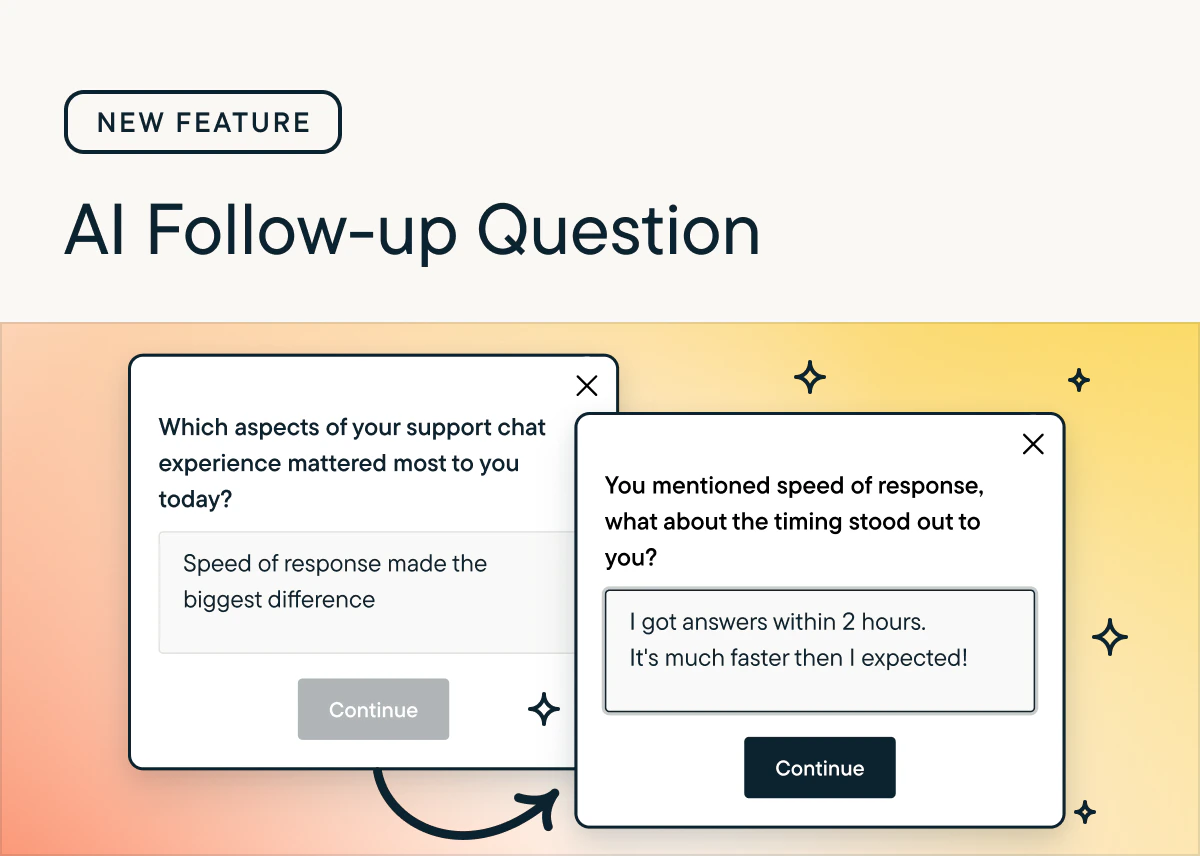
Key features
- Attaches to most question types (see Supported question types below), not just open text.
- Generates a short, neutral follow-up question in your study’s primary language as soon as the respondent submits their answer.
- Skips automatically if a safe and relevant question cannot be generated quickly, protecting survey quality.
- Runs alongside skip logic on the same parent question (new in this release). You no longer have to choose one or the other.
Supported question types
Enable AI follow-ups on:- Open text
- Rating scale (number, smiley, and star)
- Multiple choice, single select
- Multiple choice, multi-select
- NPS
- Matrix
- Rank order
Why use AI follow-up questions?
- Probe for clarity, examples, and root causes so you capture the “why” behind a response, not just the rating or selection.
- Mimic a live interviewer at scale, improving response quality without adding researcher workload.
How to use
- In the study builder, open any supported question and turn on the AI Follow-Up toggle.
- (Optional) Add a prompt to guide the AI output.
- The AI generates a single follow-up focused on clarification, impact, sentiment, or depth.
- Agent Context (if provided): keeps the follow-up aligned with your research objectives.
- The respondent’s prior questions and answers: broadens contextual understanding.
- Signals from the response itself: intent, sentiment, topics, and entities.
- Your prompt inputs (if applied).
Using skip logic with AI follow-up
You can now enable skip logic on a parent question that also has an AI follow-up turned on. Skip logic runs after the parent question. If a response matches a rule, the AI follow-up is skipped and the respondent routes to the designated question (or the survey ends). For example: when the parent answer is “Not applicable,” skip the follow-up entirely; when it is a specific value, route to a designated question or end the survey. When AI follow-up is available for a question type, the skip logic tooltip calls out this behavior. The AI Follow-Up tooltip is unchanged.Results
View both the AI-generated probe and the respondent’s answer in the Results tab.Prompt Examples
There are endless ways to configure AI-Follow Up prompts to ensure high quality questions are asked to your respondents. A few common prompts are listed below.Note that you can test the AI output at any time in preview mode prior to launching your study.
- Ask the respondent to share a specific example that illustrates their previous answer.
- If the previous answer was vague or short (for example, “it’s fine” or “good”), ask what specifically makes them feel that way.
- If the respondent expressed frustration or a negative sentiment, ask what would have made the experience better. Do not ask them to rate the severity on a scale.
- Ask why the respondent chose that answer, but do not ask them to compare it to competitors or other products.
CSV File Export
The AI Follow-ups feature stores follow-up prompts and responses that were generated by AI for a respondent’s original answers. The CSV format for bulk export/import of AI follow-ups- Q1a_Question_Text
- Q1a_Response
- Q1b_AI_Followup_Question_Text
- Q1b_Response