

How it works
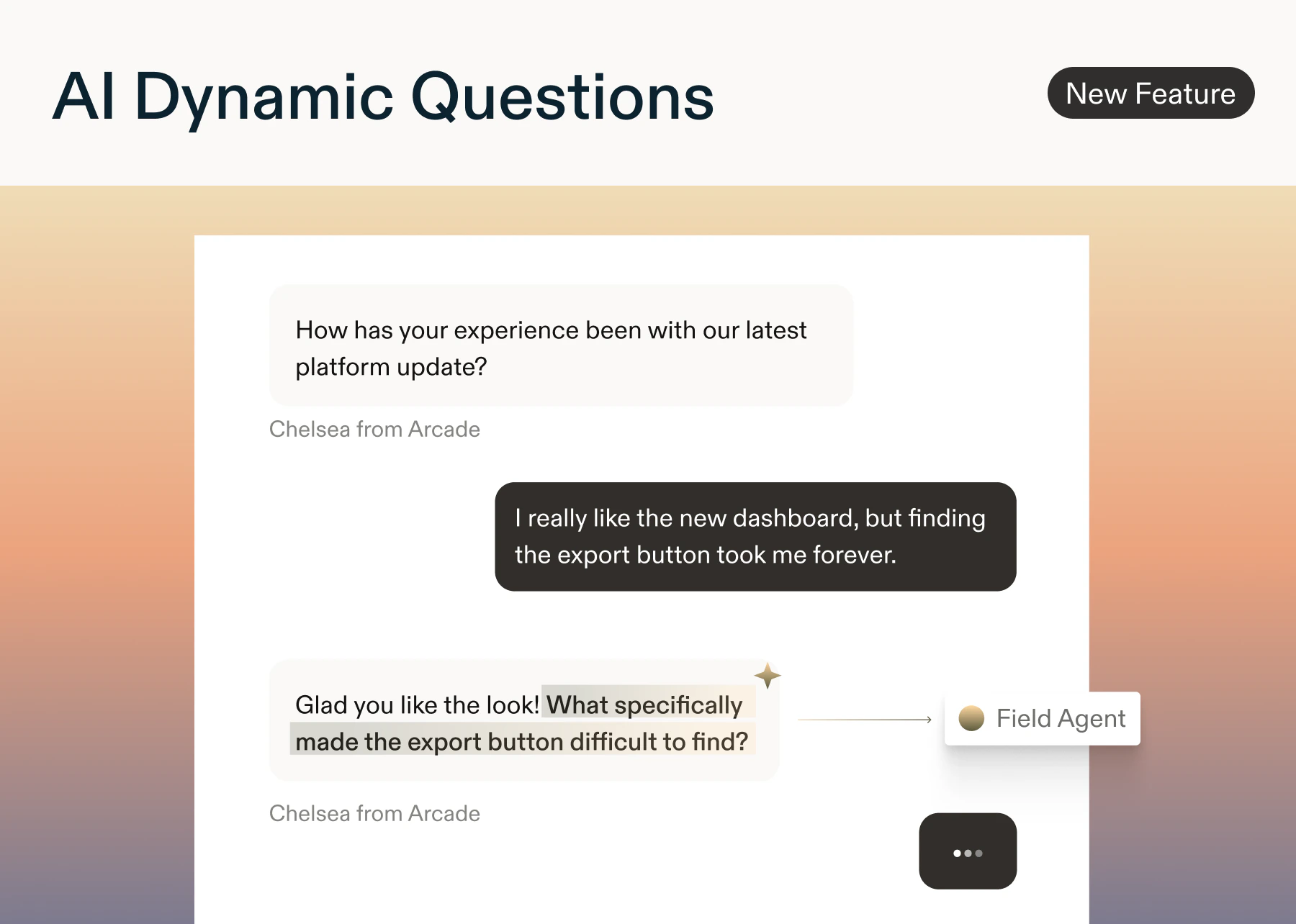
- For the study designer: Insert an AI Dynamic Question anywhere in your study following an open text, rating, or multiple choice question.
- You can optionally provide a custom prompt to guide each question.
- The system always respects skip logic and quotas.
- There is no limit on AI dynamic questions that can be added to any study
- For the user: The AI generates a concise, neutral question in your study’s primary language. If it can’t generate safely or quickly, the question is skipped.
- Moderation filters are active to block PII, bias, and unsafe content.
- For the analyzer: AI-generated questions and their corresponding responses are available in the Reports tab. They appear alongside your standard results, ready to review individually or together.
Best Practice
Start with one or two AI Dynamic Questions per survey to gain depth without adding respondent fatigue.Why it matters
- Dynamic probing: Enables deep questioning based on all prior responses and context signals.
- Reduced Setup Time: Eliminates the need for complex branching logic needed, since the AI handles dynamic questioning automatically.
- Faster analysis: AI responses are grouped and displayed so researchers can quickly identify patterns & themes.
How the questions are generated
The Field Agent utilizes a variety of signals to ensure questions remain relevant and aligned with research objectives.Context Signals
Context Signals
- Team context (if available, coming soon!)
- Agent Context (if available) to stay aligned with your research objective
- All prior questions and responses in the survey
- Question prompt (if available)
- NLP signals such as:
- intent (e.g. pricing, bugs, feature requests, churn risk, compliments),
- sentiment,
- topics (e.g. onboarding, billing, performance, UX),
- and entities (e.g. product, competitor, plan tier)
Question Styles
Question Styles
- Clarification: Resolve ambiguity or vague answers
- Depth: Probe for reasons, mechanisms, or examples
- Context: Compare with past experiences or alternatives
- Impact: Explore effects, severity, or frequency
- Sentiment: Acknowledge tone and ask what influenced it
- Keyword: Drill into mentioned keywords or entities
Prompt Examples
There are endless ways to configure AI Dynamic Question prompts to ensure high quality questions are asked to your respondents. A few common prompts are listed below.You can test the AI output at any time in preview mode prior to launching your study.
- Based on everything the respondent has shared so far, ask one question that fills the biggest gap in understanding their [workflow, feedback, experience].
- If the respondent has mentioned a frustration or pain point earlier in the survey, probe deeper on that. Do not ask about pricing or budget.
- If the respondent’s answers seem to contradict each other, ask a clarifying question to reconcile the difference. Do not point out the contradiction directly or make them feel called out.
- Ask about a use case or scenario the respondent has not yet covered, given what they have shared. Do not ask demographic questions or anything about their job title.
- If the respondent mentioned a competitor or alternative product earlier, ask what would make them switch fully. Do not ask for negative feedback about the competitor by name.
- Based on the goals or outcomes the respondent described earlier in the survey, ask what success would look like for them in the next 3 months. Do not ask about specific metrics or numbers.