

Survey Diagnostics Funnel Overview
The Survey Diagnostics Funnel allows you to understand the estimated population of end users at particular steps in Sprig’s survey selection and contact engine. The funnel will enable study owners to self diagnose why they may not be getting as many responses as expected and troubleshoot survey design. Sprig uses an event-driven model. Each time a user sends an event to our backend, we check to see if there is a potential survey or set of surveys to present to the user. This process is documented in a surveys engagement funnel located in the Responses widget. Here’s an example of what a survey engagement funnel may look like: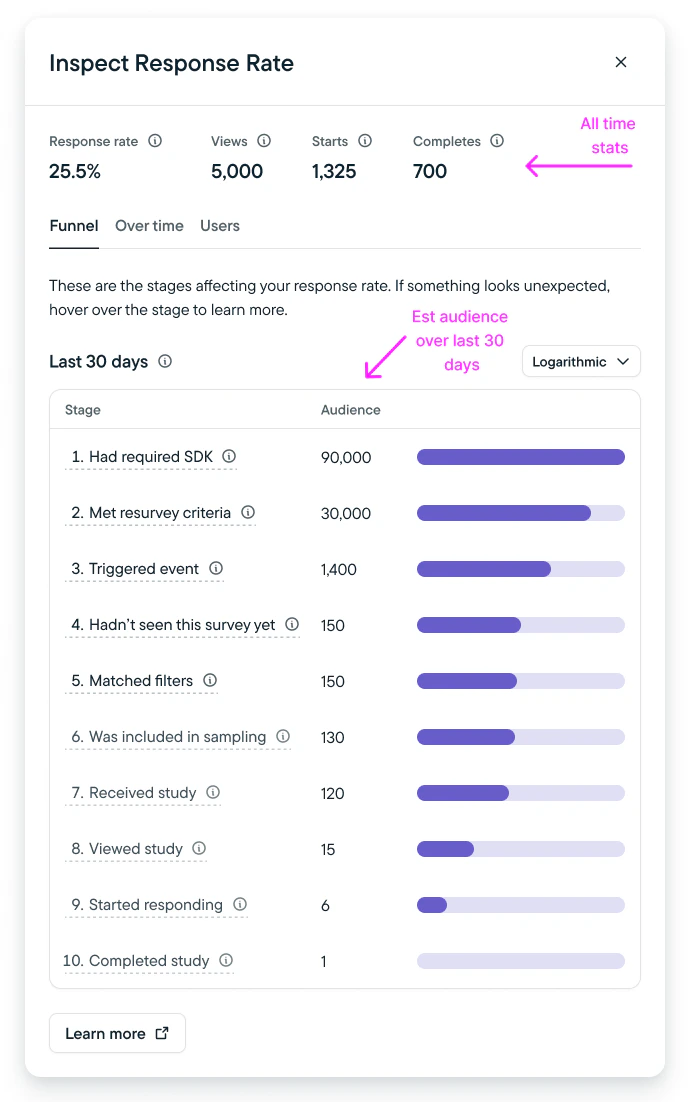
- Matched Filters
- Included in Sampling
- Selected for this Study
Survey selection works in the following steps:
- A single event from a single visitor is received by the Sprig backend
- We select the entire universe of in-progress surveys for that environment
- The survey selector code begins to filter this universe down by filtering out surveys that:
- Have the wrong SDK version
Step: “Had required SDK” - Do not match resurvey criteria
Step: “Met resurvey criteria” - Have a different event trigger than the one the user triggered
Step: “Triggered event” - That the user has already seen (based on resurvey criteria)
Step: “Hadn’t seen this study yet” - That the user doesn’t match filters and attributes for
Step: “Matched Filters” - Need to be sampled or throttled
Step: “Included in sampling”
Step: “Selected for this study”
- Have the wrong SDK version
- The result may be:
- A single survey that is then served to the user
- A randomized array of surveys, from which the first will be served to the user
- Received Study
- Viewed Study
- Started Responding
- Completed Study
Using the Diagnostics Funnel
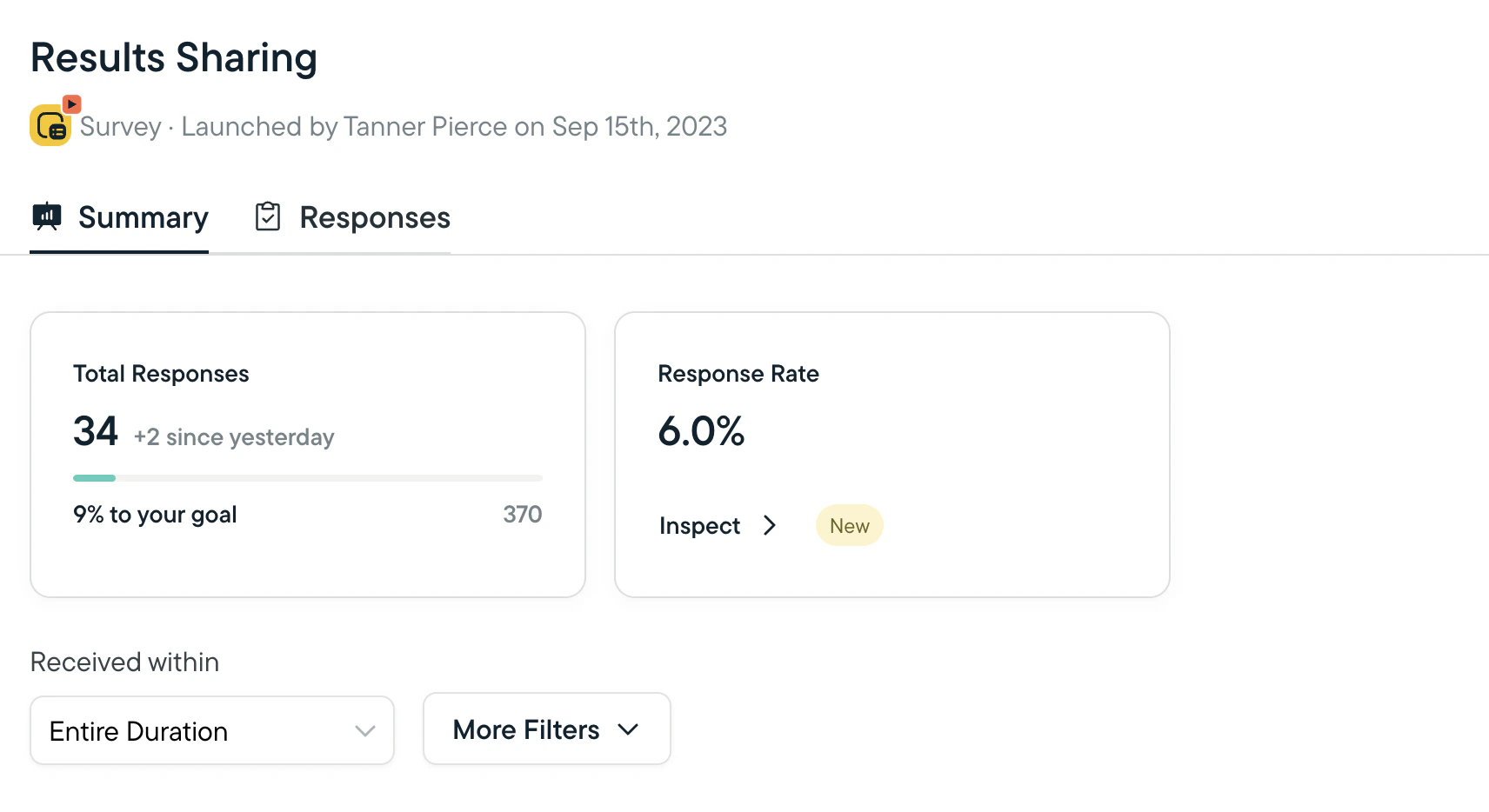
- For any active or completed Web or Mobile Survey, navigate to the Survey Results page.
- Select Inspect to launch the Inspect Response Rate modal.
- The debugger will show you a list of checkpoints and the estimated population of end users at each checkpoint.
Note on Limitations:
- Survey Diagnostics Funnel will be unavailable for surveys completed before October 2023.
- Audience population estimations are limited to the last 30 days of an active survey.
- If any edit is made to an active study, including copy updates or targeting criteria, the diagnostics funnel will reset and begin collecting data from time last updated.
Checkpoint Steps
Checkpoint steps and corrective measures are detailed below:
*For mobile studies, if SDK update is bundled with an app update, end users will need to update your native app in order to qualify for a study with a minimum SDK requirement.